
Crystal Rift update brings shared saves and Workshop tools
Crystal Rift update adds shared cloud saves, Steam Workshop and Steam Frame support, plus VR editor changes, OpenXR support and fixes for PC and headset play.
By vrBlogs
· 2 min read · Source: MIXED
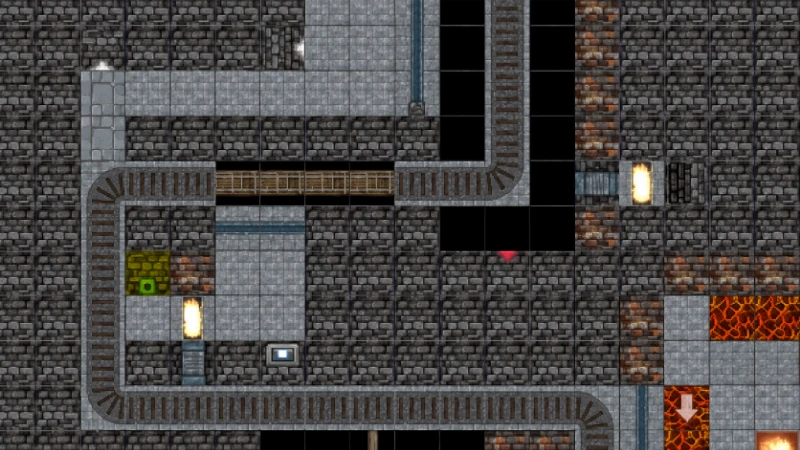
Crystal Rift is a paid Steam game from Psytec Games. Its November 8, 2026 update connects progress between PC and Steam Frame, adds Steam Workshop level packs on PC, and revises its VR level editor. It also adds Steam Frame streaming controls and OpenXR support.
Shared saves and custom dungeon packs
Psytec Games says Steam Cloud saves are now available for everyone. Players can move dungeon progress between a PC and Steam Frame, while game settings remain separate on each device. The shared-save feature does not mean every Workshop function is available directly on Steam Frame; Workshop support is described as a PC feature.
On PC, creators can build levels in the editor and select Publish beside an editor slot to upload those levels as a pack. Other players can browse Workshop from the main menu, subscribe to a pack and choose its difficulty before entering it.
A My Level Packs section lets creators update or unpublish their work. The Load Game menu now includes a Saves button for switching between the main game and individual packs. This keeps progress in custom dungeons separate from campaign progress.
VR editor changes
The revised VR editor places its palette above the player's free hand. Its controls cover saving, filling, undoing, copying and moving between levels. Players can use Test Play and Back to Editor from the pause menu, while the original F2 keyboard shortcut remains available.
These changes let players move between building and testing without reaching for a keyboard. They apply to Crystal Rift's dungeon-building tools and support both level creation and testing inside VR.
OpenXR, Steam Frame and PC changes
Psytec says the rebuilt PC version uses OpenXR and supports SteamVR headsets. When a headset is available, the game starts in VR. Without one, it starts in desktop mode, so players do not need a headset for every session.
The update also includes a controller layout for Steam Frame streaming and faster loading. Psytec lists fixes for sword attacks and the crystal dragon encounter. Saving has been hardened against crashes or headset removal while a save is being written.
Players switching devices should check Steam Cloud settings and allow a completed sync before changing from PC to Steam Frame or back.
Enjoyed this story?
Like it to tell the editors, or save it to read later.


Comments
Sign in to join the conversation.
Sign inNo comments yet. Start the conversation.
·