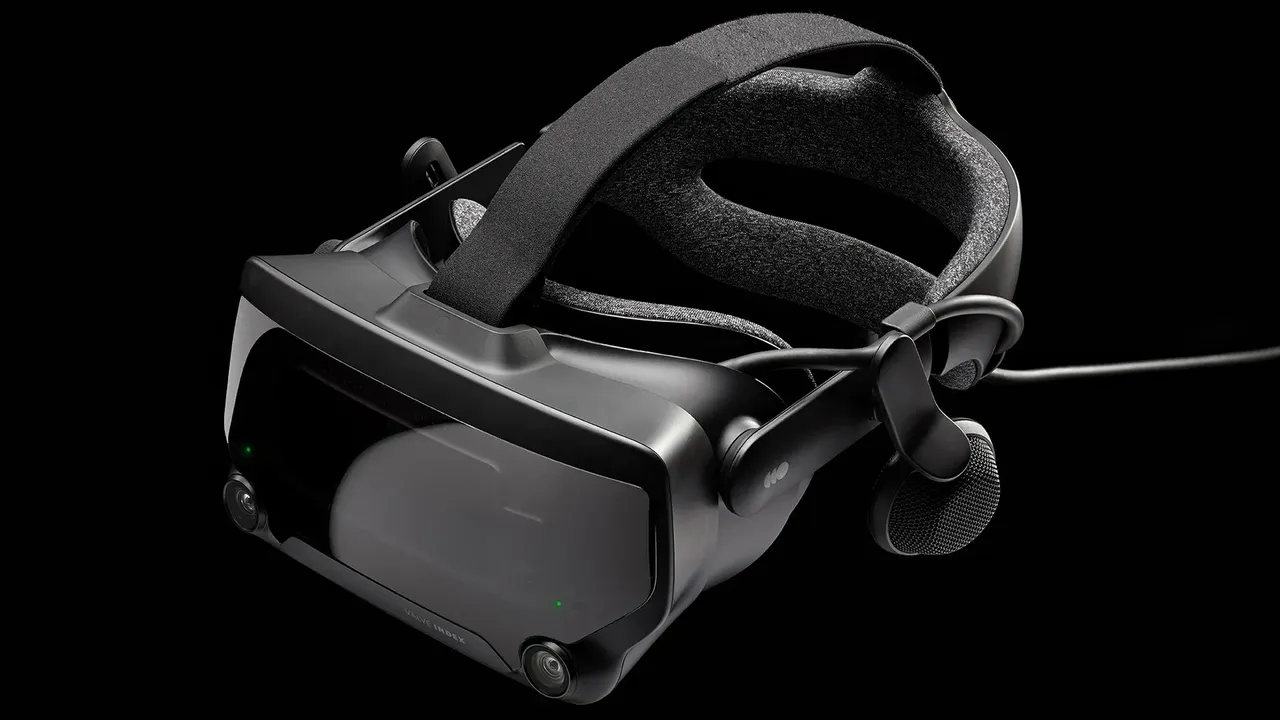
Is the Meta Quest 3 Still Worth Buying in 2026? Used Price Guide & Inspection Checklist
With Meta raising the new 512 GB Quest 3 price to $599.99 in 2026, buying second-hand is more popular than ever. Learn whether the Meta Quest 3 is still worth it today, fair used prices for 128 GB and 512 GB models, and a visual inspection checklist for all six common used hardware issues.
- Beginner
- 15 min
- Checked on Meta Horizon OS v68+
- Last checked November 6, 2026


By LongZ
Updated · 9 min read
What you need
- A smartphone with the Meta Horizon app installed and an active Meta account to test pairing on the spot
- A Wi-Fi connection (or mobile hotspot) to verify activation and check that the headset is not server-locked or MDM-restricted
- A bright smartphone flashlight to inspect the pancake lenses, USB-C port pins, and front camera pills
- An 18W+ USB-C PD power bank or wall charger and two fresh AA batteries to test charging and both Touch Plus controllers
Nearly three years after its October 2023 debut—and following Meta's April 2026 price hike that pushed the new 512 GB model to $599.99—the Meta Quest 3 remains the most versatile standalone and wireless PC VR headset on the market. Because of that higher $599.99 retail tag, thousands of buyers are turning to second-hand marketplaces like eBay, Facebook Marketplace, and Swappa to score a cheaper unit.
This buying guide breaks down whether the Meta Quest 3 is still worth buying in 2026, what you should pay for a used 128 GB or 512 GB model, and a complete visual checklist of six common second-hand hardware problems you must inspect before handing over your cash.
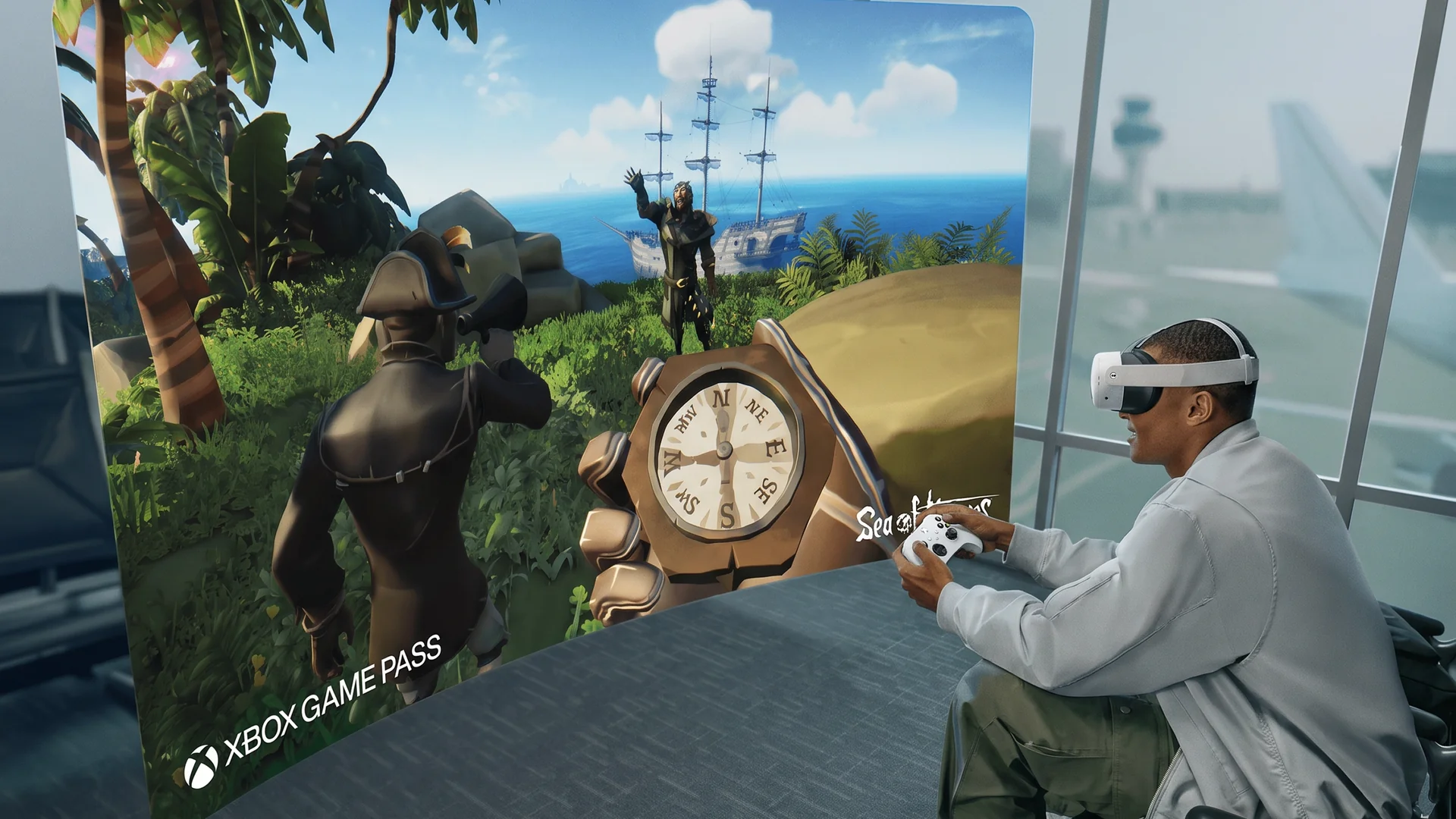
1. Is the Meta Quest 3 Still Worth Buying in 2026?
Yes—for most players, the Meta Quest 3 is still the best all-around VR headset you can buy in 2026. Even with newer premium contenders like the Valve Steam Frame ($1,059+) entering the market, the Quest 3 hits a sweet spot that few rivals can match:
- Edge-to-Edge Sharp Pancake Lenses: Unlike the older Fresnel optics on the Meta Quest 2 and budget Meta Quest 3S, the Quest 3's pancake lenses pair with dual 2064 × 2208 LCD panels and a continuous IPD wheel (53–75 mm) for crisp text across almost the entire 110-degree field of view.
- Full-Color Mixed Reality: Dual RGB passthrough cameras and a dedicated depth sensor allow games and productivity apps to anchor virtual screens and objects onto your real walls and furniture.
- Unbeatable Dual Ecosystem: It runs the massive standalone Meta Horizon Store library natively on its Snapdragon XR2 Gen 2 chip (with 8 GB RAM) and doubles as an outstanding wireless SteamVR headset via Steam Link, Air Link, or Virtual Desktop.
Where it falls short: Battery life averages just 2 to 2.2 hours per charge, the stock fabric strap puts uncomfortable pressure on your forehead, and its LCD panels produce grayish blacks in dark scenes compared to OLED headsets like the PlayStation VR2.
2. Used Meta Quest 3 Price Guide in 2026 (128 GB vs. 512 GB)
When shopping used, pay close attention to storage capacity. Meta discontinued the original 128 GB Quest 3 in late 2024, meaning every 128 GB unit on the used market is an older launch-era headset with more battery cycles. Meanwhile, Meta raised the retail price of the 512 GB Quest 3 from $499.99 to $599.99 in April 2026.
- Used Meta Quest 3 (128 GB): $250 – $320 USD. A solid budget entry for wireless PC VR players who store games on their computer, or casual standalone users. Do not pay over $330 for a 128 GB unit.
- Used Meta Quest 3 (512 GB): $350 – $430 USD. The sweet spot on the second-hand market, saving you $170 to $250 off current retail while giving you enough storage for massive standalone titles.
- Certified Refurbished (512 GB): $440 – $499 USD. Sold directly by Meta or major retailers with a warranty—ideal if you want peace of mind without paying $599.99.
- Over $450 USD (Private Seller, No Warranty): Pass. If a private seller wants $450+ for a bare used unit, you are better off buying a Certified Refurbished unit or a brand-new Meta Quest 3S ($349.99) with a full manufacturer warranty.
3. Common Problems When Buying a Used Meta Quest 3 (With Visual Checklist)
Unlike PC-tethered headsets, a standalone headset packs its battery, charging circuitry, cooling fan, cameras, and computers inside the visor. Below are the six critical problem areas to inspect—with visual references for each—before buying a used Quest 3.
Problem 1: Pancake Lens Scratches, Sun Burn & Dead Pixels
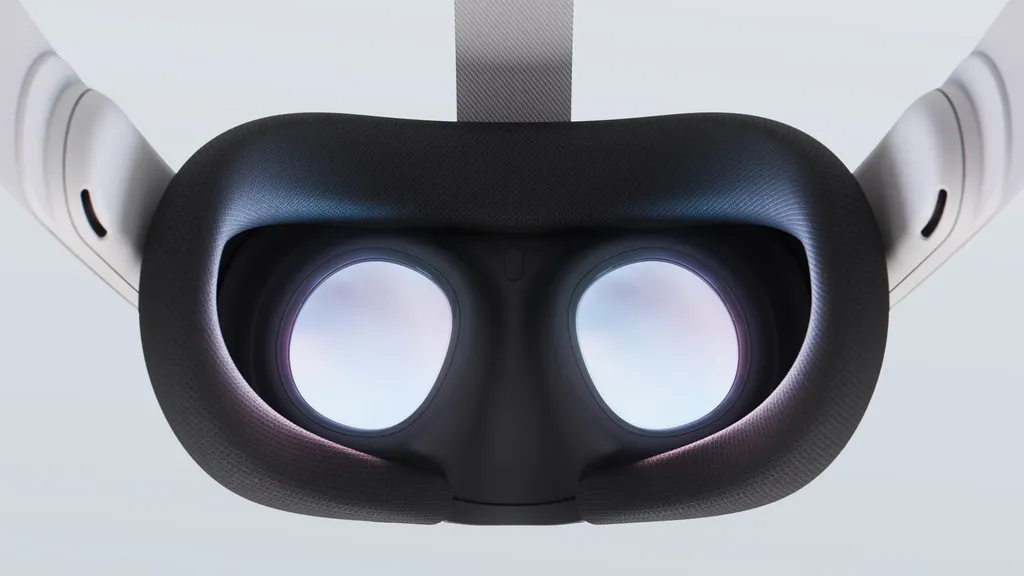
- Sunlight Screen Burn (Instant Dealbreaker): Even 30 seconds of direct sunlight shining into the pancake lenses acts like a magnifying glass, permanently burning yellow, purple, or black streaks onto the internal 2064 × 2208 LCD panels.
- Eyeglass Scuffs & Coating Damage: The Quest 3's plastic pancake lenses sit close to the face and scratch easily if the previous owner wore glasses without snap-in lens inserts (such as Zenni prescription lenses) or wiped them with shirt fabric or alcohol.
- Dead Pixels & Mura: Early production batches occasionally suffer from stuck bright green/white pixels or uneven gray uniformity ("mura") between the left and right eye.
- How to test: Shine a phone flashlight across the turned-off lenses at a 45-degree angle to spot surface scuffs. Then power on the headset, open the Meta Quest Browser, and load a pure black page followed by a pure white page to check for burnt sun spots or dead pixels. Also cover the forehead proximity sensor between the lenses with your finger to verify the screen wakes and sleeps properly.
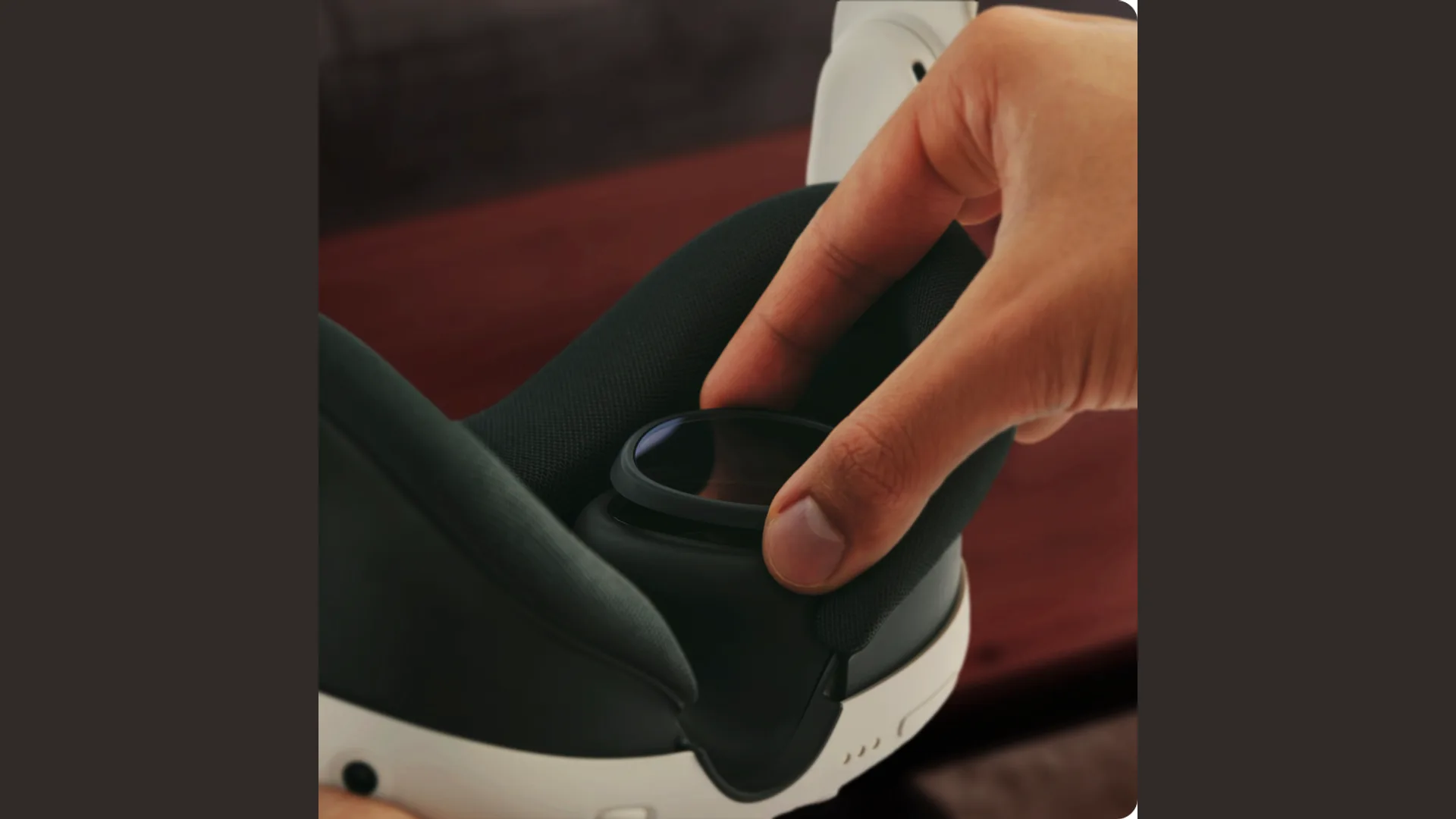
Problem 2: Touch Plus Controller Stick Drift, Hidden IR LEDs & Battery Leaks
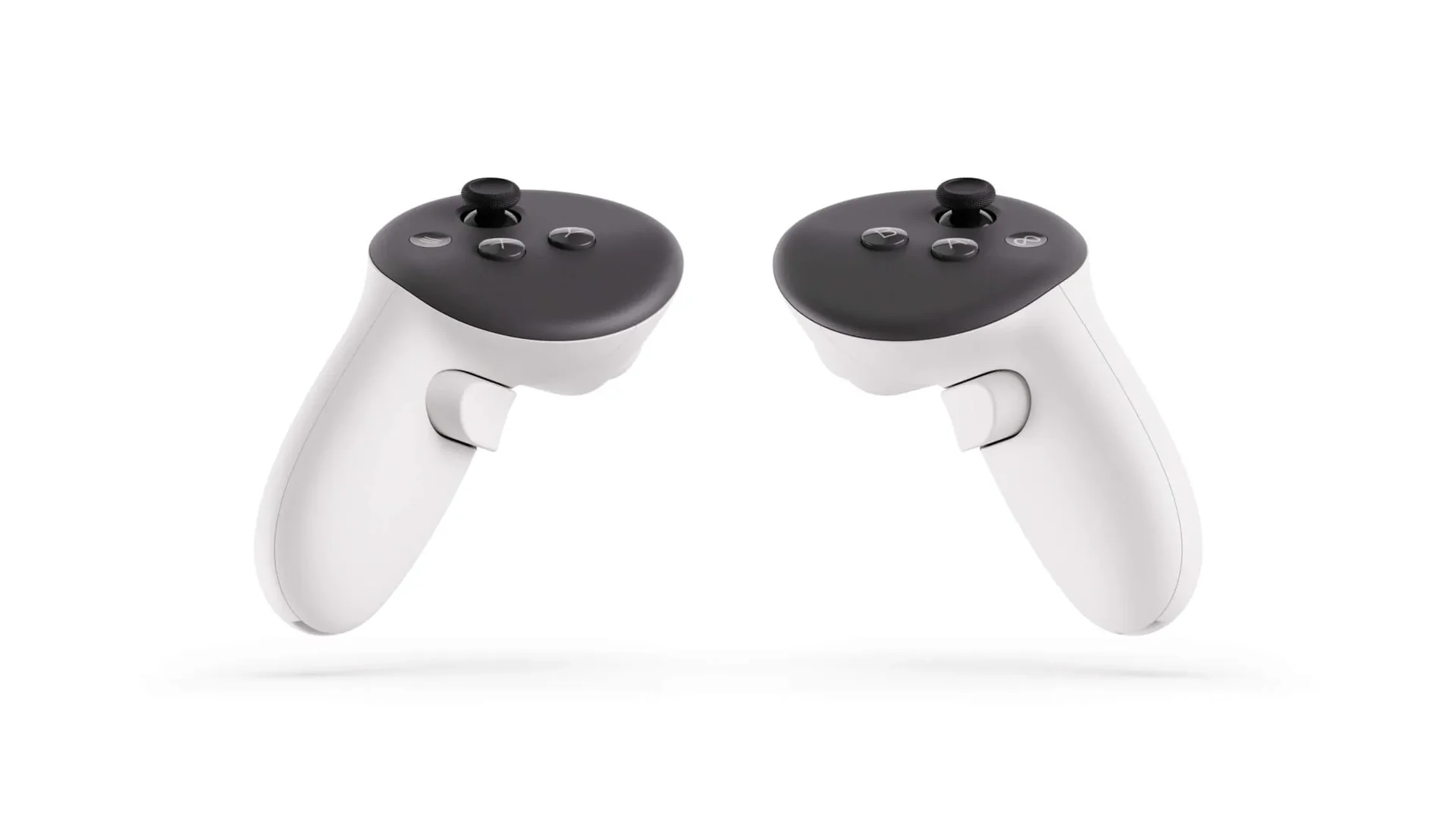
- Thumbstick Drift: Like previous Quest controllers, the Touch Plus controllers use mechanical potentiometer thumbsticks rather than magnetic Hall-effect sensors. Dust and contact wear cause your character to walk backward or stutter when you push forward.
- Cracked IR Faceplates & Dropped Tracking: Because Touch Plus controllers eliminated the outer tracking ring, the infrared tracking LEDs sit directly under the black circular faceplate and along the grip handle. Hard impacts against walls can crack the faceplate or knock out an internal IR LED, causing the virtual hand to float away.
- AA Battery Compartment Corrosion: Alkaline AA batteries left inside an unused controller for months frequently leak white potassium carbonate crust onto the spring terminals.
- How to test: Pop off both battery covers first to check that the metal contacts are shiny and clean. Then go to Settings > Devices > Controllers > Thumbstick Calibration & Deadzone inside the headset and rotate both sticks slowly. Check that the cursor returns dead-center without jittering, and test the capacitive touch sensors on the thumbsticks, A/B/X/Y buttons, and index triggers.
Problem 3: Melted or Loose USB-C Port, Pogo Pins & Battery Degradation
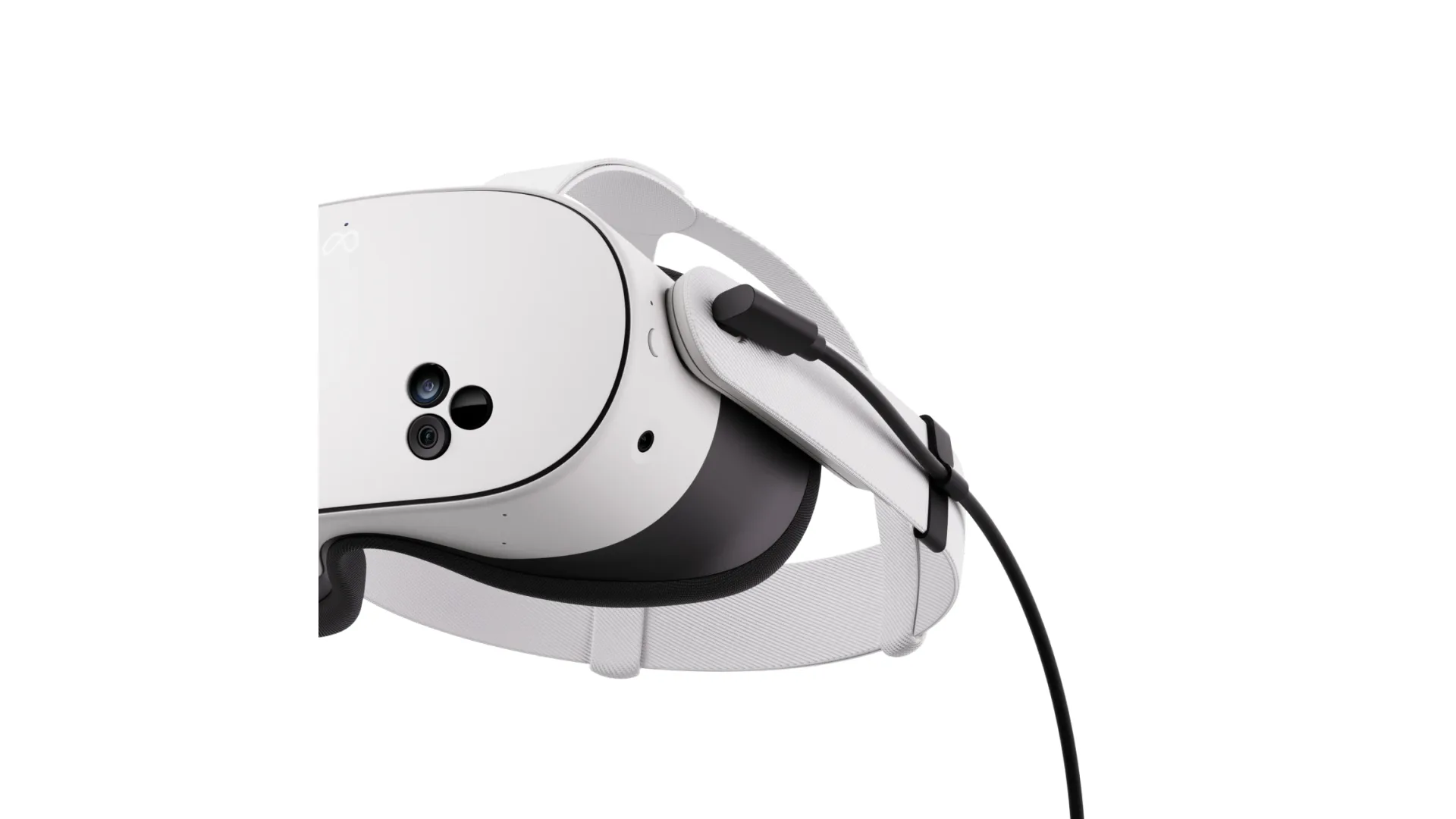
- Overheated / Melted USB-C Port: Playing while tethered to a heavy unclipped cable bends the USB-C receptacle on the left strap arm. Poor pin contact creates high electrical resistance, which can scorch or melt the white plastic around the port.
- Internal Battery Wear & Charging Loops: A healthy Quest 3 lasts roughly 120 minutes in standalone games. Heavily degraded batteries—especially on 2023-vintage 128 GB units left plugged in 24/7—can drop below 60 minutes or get stuck in a "Charging Slow" warning loop.
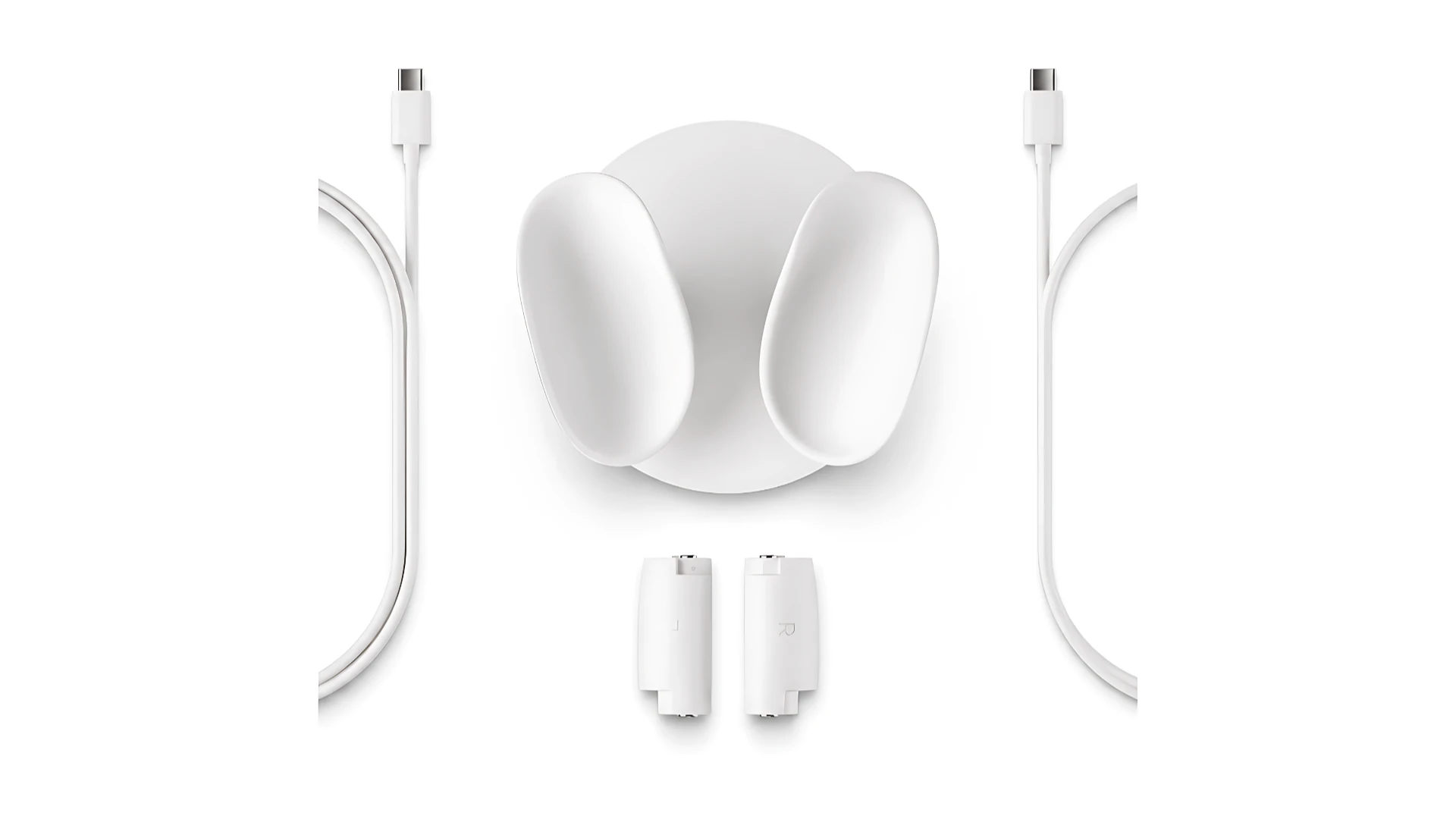
- Bottom Dock Pogo-Pin Corrosion: Sweat dripping down the bottom of the visor can corrode the three gold contact dots used for the official charging dock.
- How to test: Inspect the USB-C port with a flashlight for dark burn marks or a wobbly center pin. Plug in an 18W+ USB-C PD charger and confirm the status LED beside the port lights up solid amber immediately. Watch the battery percentage during a 10-minute test session—if it drops more than 12–15% in ten minutes of light menu use, the battery is heavily worn.
Problem 4: Scratched Front "Pill" Cameras, Depth Sensor & Cooling Fan Whine
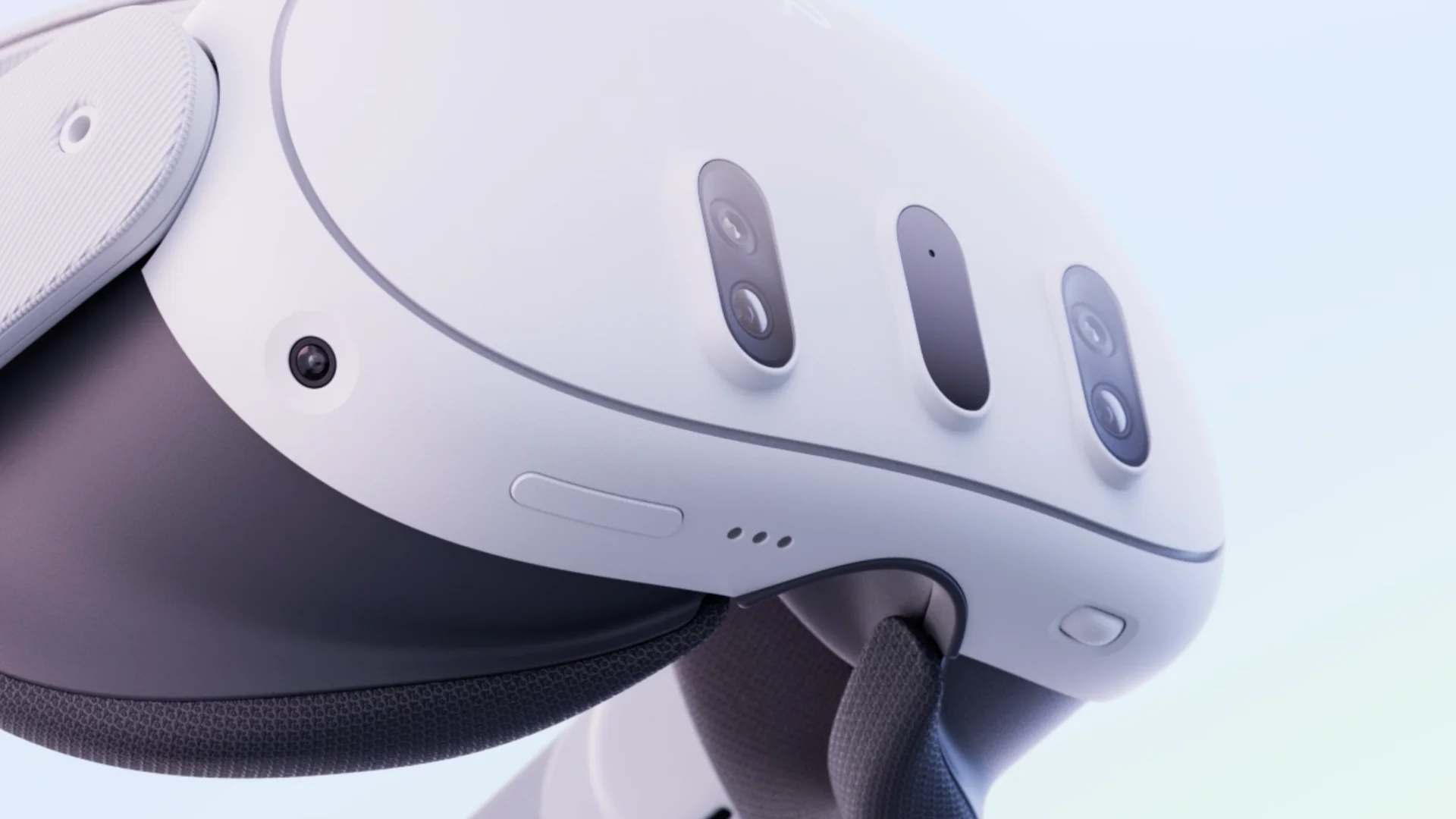
- Scratched Passthrough Cameras & Depth Projector: The three vertical black "pills" on the front visor house the two 4 MP RGB passthrough cameras, the central depth projector, and tracking cameras. Because they sit flush on the front face, tossing the headset into a backpack without a lens cover scratches the glass, causing blurry spots in passthrough or room-mesh scanning failures.
- Noisy Internal Cooling Fan: The Snapdragon XR2 Gen 2 is actively cooled by a small blower fan venting along the top seam of the visor (see exploded view below). Dropped headsets or units used in dusty/pet-hair environments can develop a loud, rattling fan bearing.
- Jammed IPD Adjustment Wheel: The thumbwheel on the bottom-left underside adjusts lens spacing from 53 to 75 mm. Verify it rolls smoothly and triggers the on-screen millimeter readout.
- How to test: Double-tap the side of the headset to enter full-color Passthrough mode and walk around a well-lit room. Then run a room scan (see how to set up mixed reality and your space on Meta Quest 3) to confirm the depth sensor maps walls and furniture accurately, and listen near the top vent for any grinding fan noise.
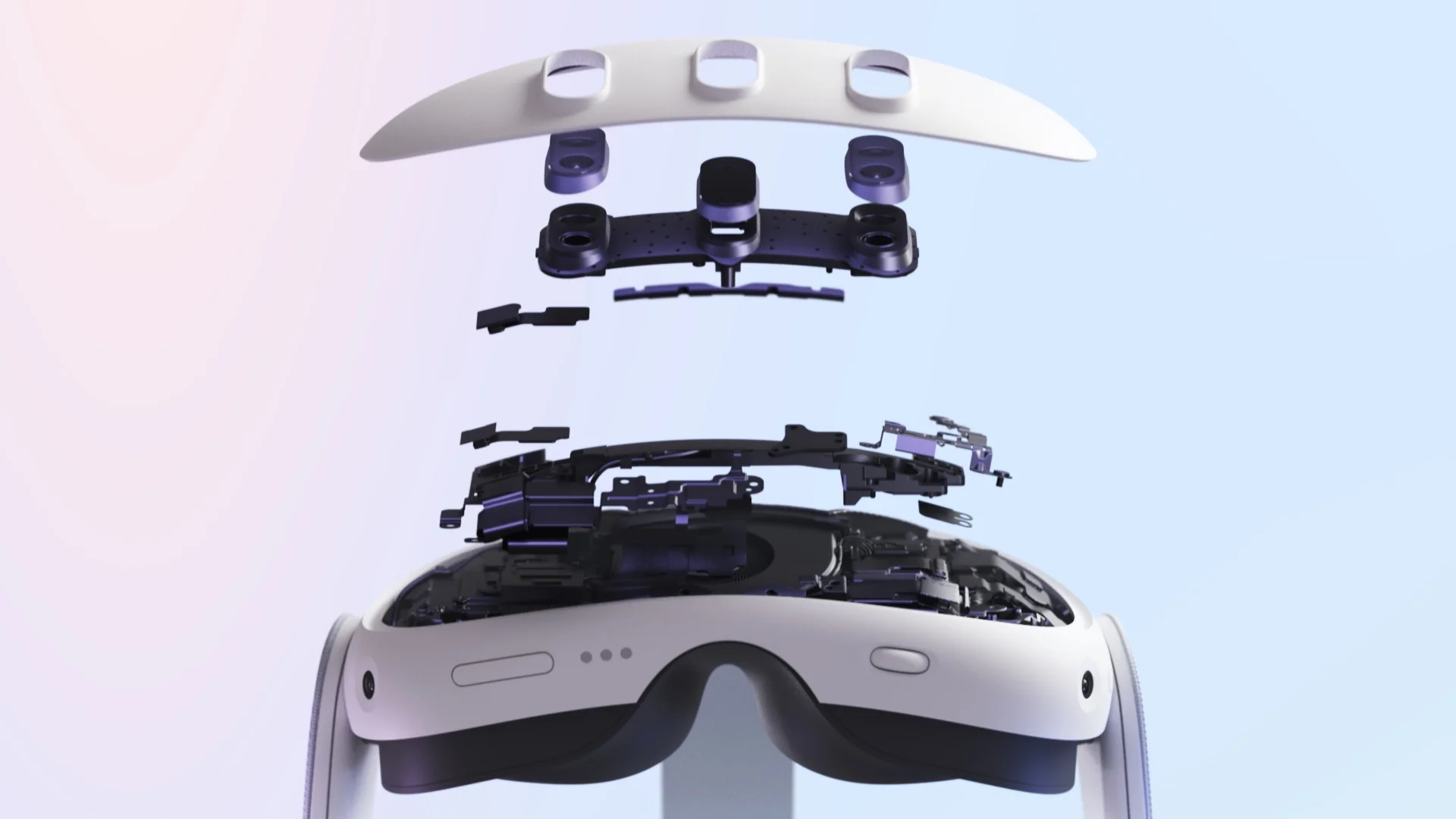
Problem 5: Cracked Strap Arms, Broken Eye-Relief Buttons & Hygiene
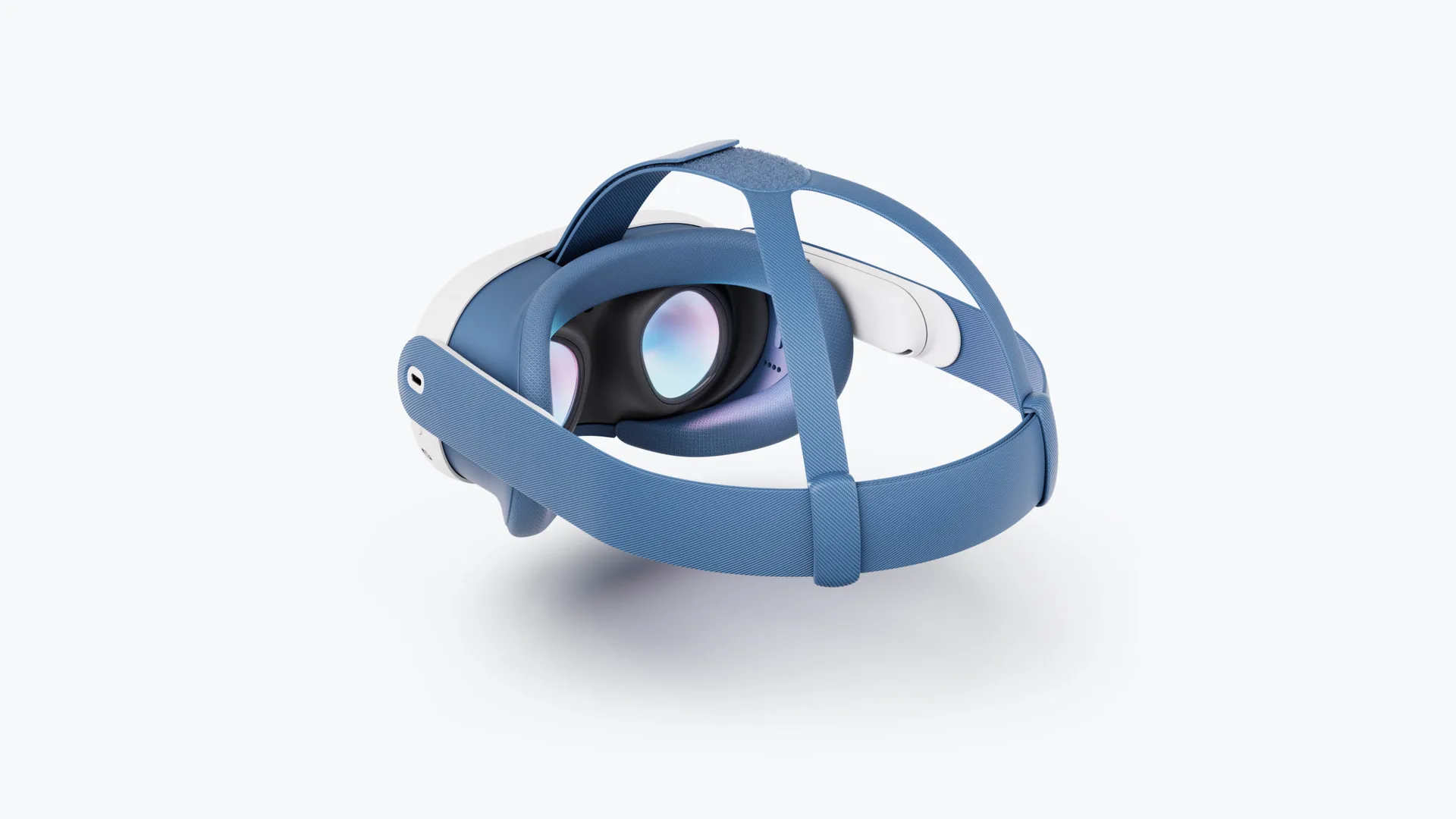
- Cracked Speaker Strap Arms & Top Loop Bar: The white plastic side arms contain the built-in spatial speakers and snap-on points for Elite or Halo straps. Frequent removal of tight third-party straps can crack the plastic hinges or snap the thin black plastic bar holding the top Velcro strap on the facial interface.
- Stuck Eye-Relief Depth Buttons: Inside the removable facial interface are two small buttons (left and right) that slide the visor across four depth notches for glasses wearers. On heavily used headsets, one side often jams or fails to lock, leaving the gasket crooked on your face.
- Sweat-Soaked Stock Foam Gasket: The standard fabric facial pad absorbs sweat and skin oils like a sponge. Factor $25–$40 into your budget to replace it with a wipeable silicone cover or a fresh breathable facial interface.

Problem 6: Stolen / Blacklisted Units, Enterprise MDM Locks & Storage Scams
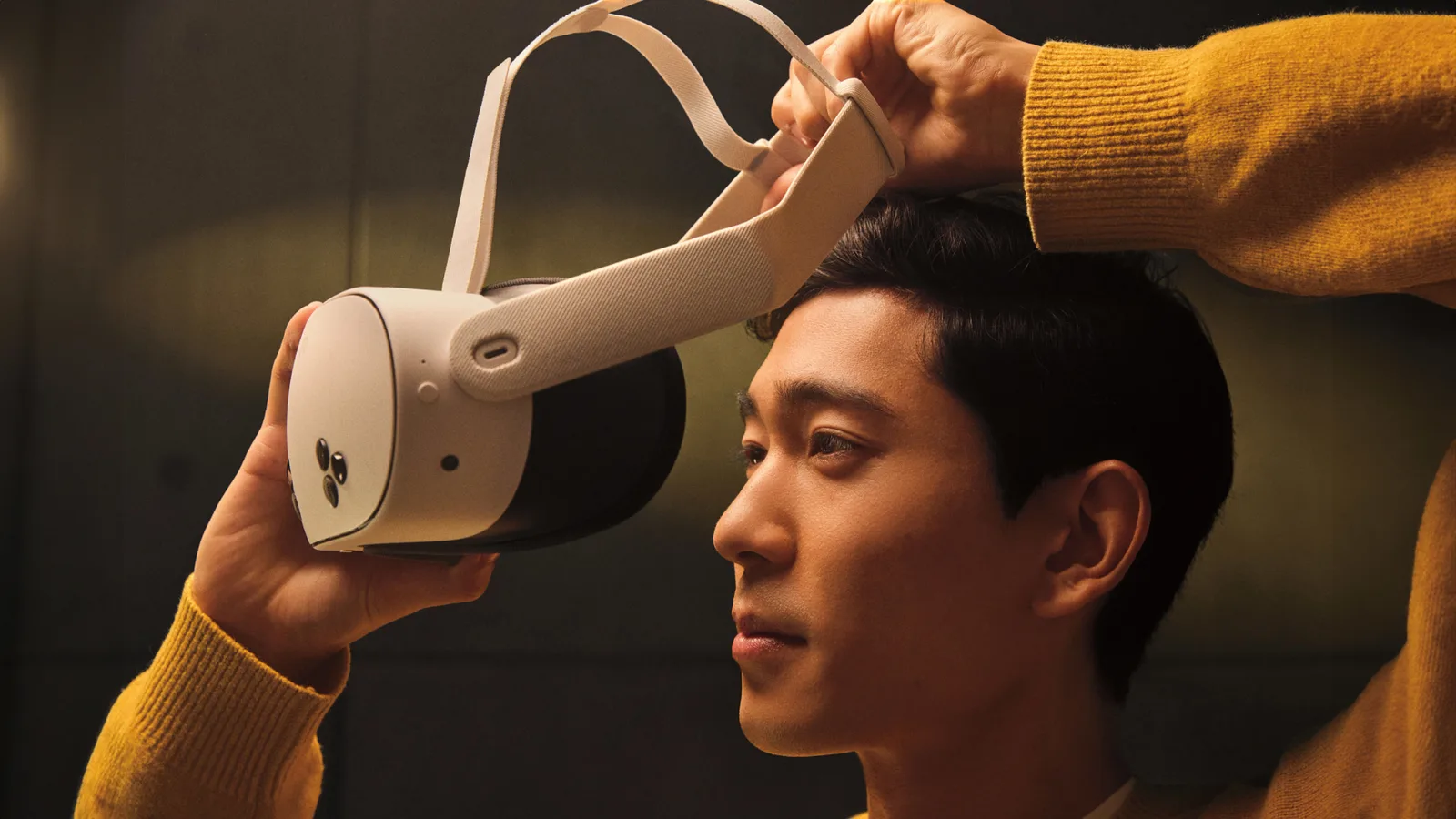
- Stolen / Server-Locked Units & Enterprise MDM: If a Quest 3 was reported stolen from a retail shipment or enrolled in Meta Horizon Managed Services (corporate/school MDM), it may refuse to activate after a reset. Also note that any games shown on the seller's headset are tied to the seller's personal Meta account—not the hardware—and vanish after a reset.
- 128 GB Passed Off as 512 GB: Because both models look identical from the outside (aside from a tiny capacity marking inside the left strap arm), some sellers advertise a 128 GB unit as a 512 GB model.
- How to test: Follow our guide on how to factory reset a Meta Quest 3 or 3S (hold Power + Volume Down from off to enter the USB Update Mode boot menu), pair the headset to your own smartphone via the Meta Horizon app, and check Settings > Storage to verify whether it has 128 GB or 512 GB of space. Also verify Wi-Fi stability if you plan to stream PC VR (see how to improve Air Link and wireless PC VR performance).
4. Summary Verdict: Should You Buy New or Used?
- Buy a Used Meta Quest 3 ($250–$420) if: You can inspect the headset in person (or buy through a platform with buyer protection like eBay), verify the pancake lenses are free of scratches and sun damage, and want the sharpest standalone/PC VR optics at up to 40% off Meta's $599.99 retail price.
- Buy a Brand-New Meta Quest 3S ($349.99) Instead if: You cannot test the used headset in person, want a fresh battery and a 1-year warranty, and don't mind trading pancake lenses for older Fresnel lenses to get the exact same Snapdragon XR2 Gen 2 performance and game library.
Questions & answers
Is the Meta Quest 3 still worth buying in 2026?
Yes. Even after Meta raised the new 512 GB retail price to $599.99 in April 2026, the Meta Quest 3 remains the best all-around standalone and wireless PC VR headset thanks to its sharp pancake lenses, Snapdragon XR2 Gen 2 processor, full-color mixed reality passthrough, and massive Horizon Store and SteamVR compatibility.
How much should I pay for a used Meta Quest 3 in 2026?
In 2026, a used 128 GB Meta Quest 3 in good condition typically sells for $250 to $320 USD, while a used 512 GB Meta Quest 3 sells for $350 to $430 USD. Certified refurbished 512 GB units with a warranty usually cost between $440 and $499 USD.
What are the most common problems when buying a used Meta Quest 3?
The six most common problems on used Meta Quest 3 headsets are: 1) pancake lens scratches or permanent LCD sun-burn spots, 2) Touch Plus controller thumbstick drift or AA battery corrosion, 3) a melted or loose USB-C charging port and worn internal battery, 4) scratched front passthrough cameras or depth sensor, 5) cracked plastic side strap arms or jammed eye-relief depth buttons, and 6) stolen/MDM-locked units or 128 GB models mislabeled as 512 GB.
How do I tell a 128 GB Meta Quest 3 apart from a 512 GB model when buying used?
Both look nearly identical externally, though the storage size is printed in tiny text on the inside of the left strap arm. The safest way to check is to power on the headset and open Settings > Storage inside the OS to verify the total capacity before paying.
Do digital games stay on a used Meta Quest 3 after I buy it?
No. Digital VR games purchased on the Meta Horizon Store are permanently tied to the buyer's personal Meta account, not the headset itself. Never pay extra for a used Quest 3 that claims to come with pre-installed digital games, and always factory reset the headset to pair it with your own account.
Is it better to buy a used Meta Quest 3 or a brand-new Meta Quest 3S?
A used Meta Quest 3 ($250–$420) has much sharper pancake lenses, higher resolution (2064 × 2208 vs. 1832 × 1920), a wider 110-degree field of view, a continuous IPD wheel, and a 3.5mm headphone jack. However, a brand-new Meta Quest 3S ($349.99) includes a full 1-year warranty, a brand-new battery, and the same Snapdragon XR2 Gen 2 chip.