
AI Across VR Hardware, Apps, and Games: What Actually Works — and Who Pays the Extra Cost?
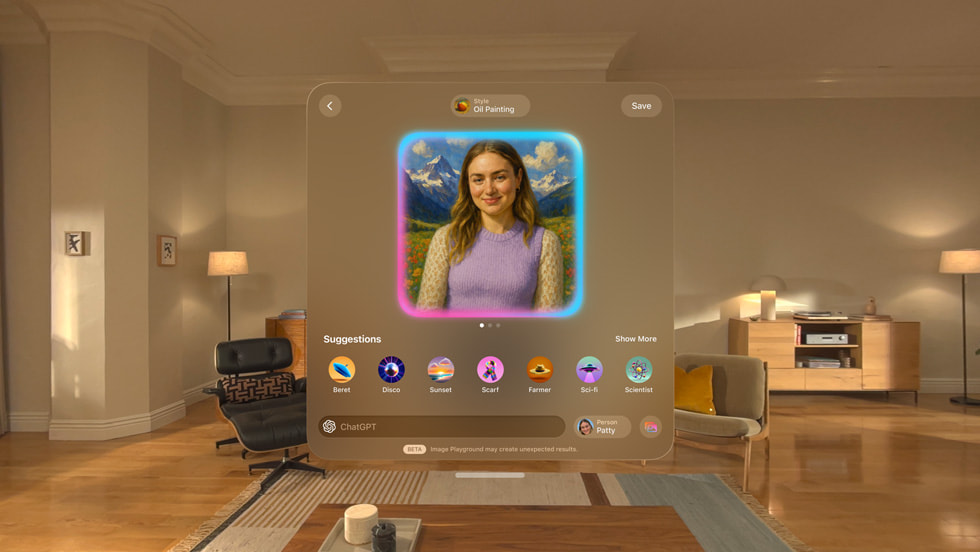
From cameras that see your desk and patient VR language tutors to talking NPCs and 3D rooms built from a single photo, AI is reshaping headsets, apps, and games. Here is how those features actually feel inside a headset—and which ones add monthly subscriptions to your bill.

Bởi LongZ
· Đọc trong 9 phút · Nguồn: VRBlogs Editorial Analysis
Artificial intelligence in virtual and mixed reality has finally moved past stage demos into features you can try at home today. Over the past year, headset makers, app developers, and game studios have woven AI into almost every layer of VR—from cameras that understand what is sitting on your desk to language tutors, talking game characters, and entire 3D worlds built from a single photo.
Yet for everyday buyers, the marketing buzz raises two down-to-earth questions: Do these AI features actually make wearing a headset better, and will they quietly saddle you with higher hardware prices and monthly subscriptions?
1. Inside the Headset: Quiet Fixes Rather Than Flashy Chatbots
If you are new to VR, the most helpful AI inside modern headsets is not a talking robot—it is the invisible software removing the clunky chores that used to make headsets frustrating to put on.
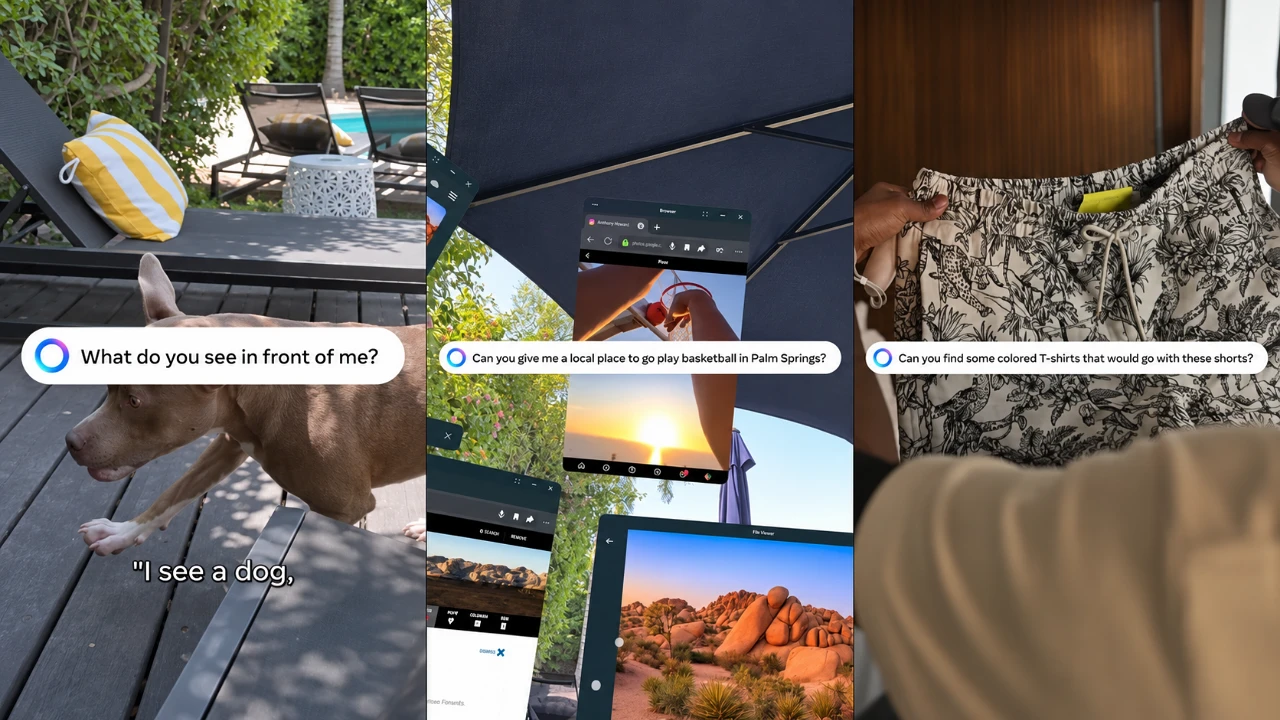
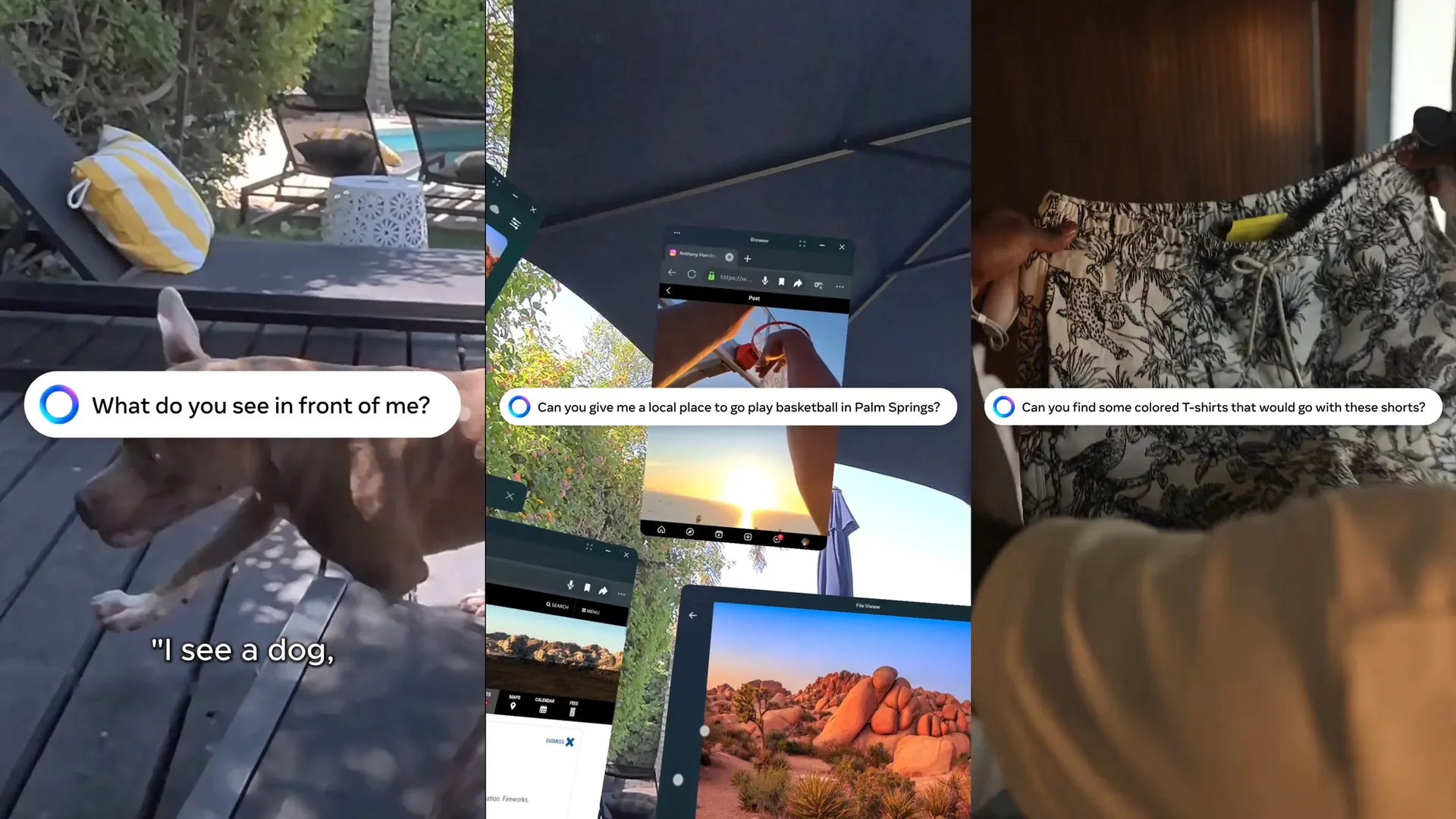
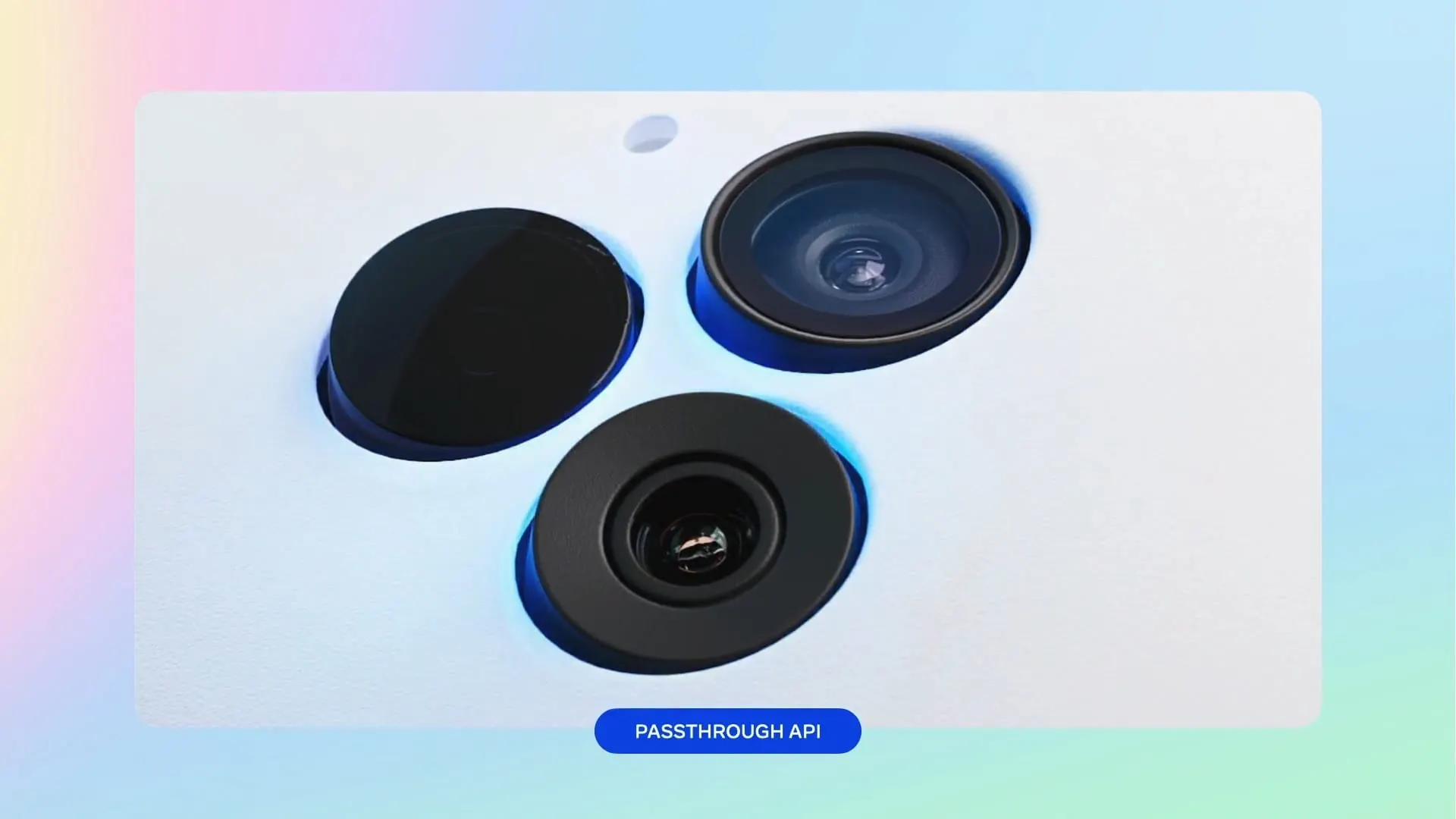
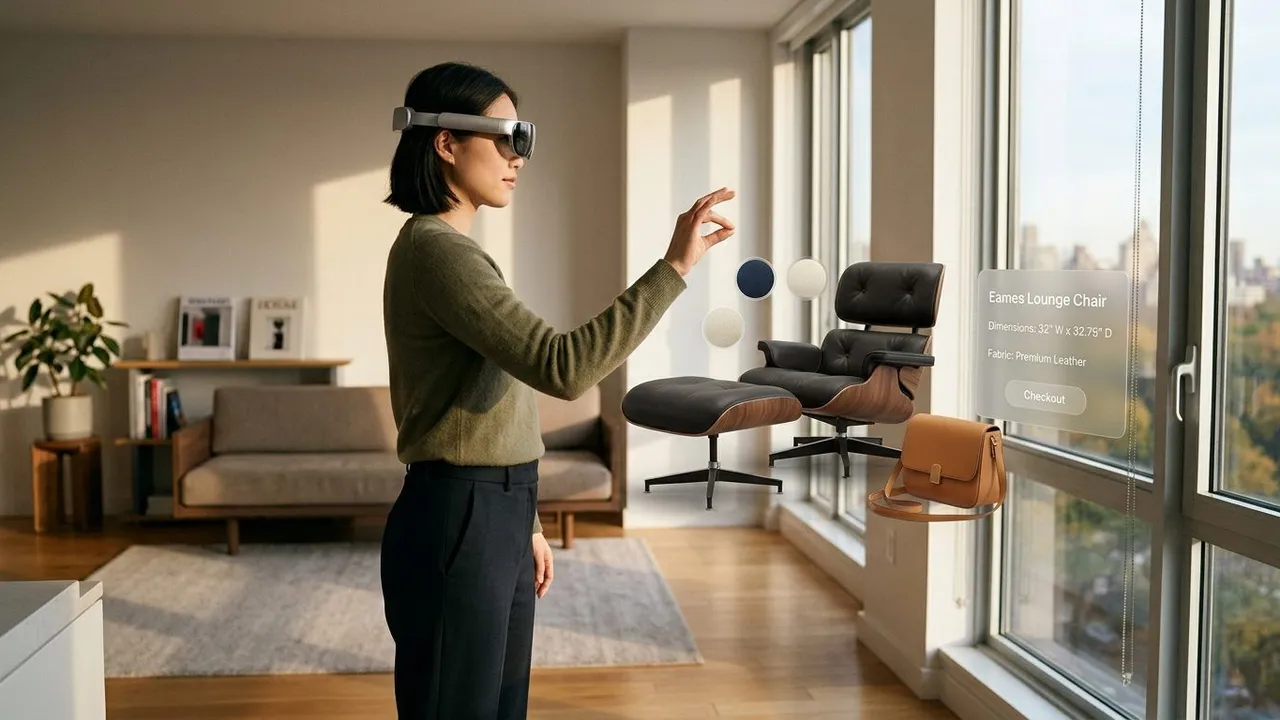
- An Assistant That Sees What You See: Anyone who has tried pecking out a Wi-Fi password or web search with VR controllers on a floating virtual keyboard knows how tedious it feels. On Samsung Galaxy XR (with Google's Gemini built into the operating system) and Meta Quest 3 (with Meta AI), you can simply look at an object on your table or a video in a window and ask a question out loud. Meta also opened a Passthrough Camera API that lets third-party apps recognize real-world board games, kitchen ingredients, or foreign signs right in front of you.
- Sharper Visuals Without Motion Sickness: Standalone headsets essentially run on mobile phone batteries, yet they have to draw two ultra-sharp eye displays at 90 to 120 frames per second so you do not feel nauseous. Chipmakers like Qualcomm—whose upcoming Snapdragon Reality Elite chip more than doubles dedicated AI power to 48 TOPS—alongside Apple on Apple Vision Pro (M5), NVIDIA on PC VR, and Sony on PS5 Pro use AI upscaling to turn lower-resolution renders into crisp images while saving battery life.
- Natural Body Movement Without Extra Straps: Instead of asking players to strap sensors onto their elbows and waist, headsets like Quest 3 and PICO 4 Ultra use AI models to estimate how your upper body and hands are moving from the headset's built-in cameras alone, making avatars in social apps look far less stiff.
2. Everyday Apps: A Judgment-Free Place to Practice and Unwind
Outside of games, app developers are finding strong traction in coaching—especially in situations where practicing on a flat phone screen feels too passive, yet practicing with real strangers feels intimidating.
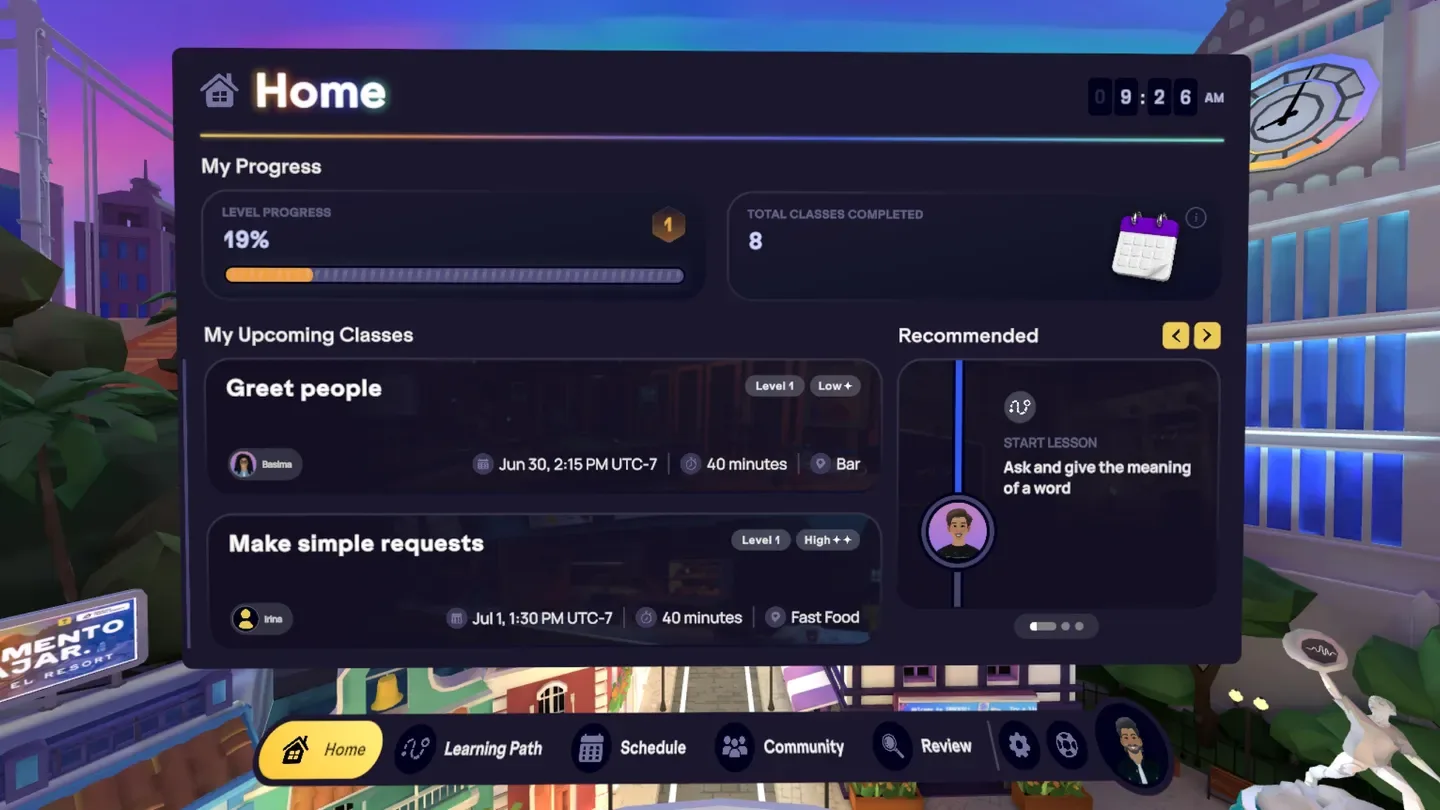
- Overcoming Speaking Freeze in Language Apps: Many learners spend years tapping vocabulary apps on their phones but freeze up the moment a native speaker talks to them. In IMMERSE - Language Fluency, users step into a virtual cafe or airport check-in counter and speak freely with AI avatars before joining live human classes. Learners regularly point out that ordering coffee from an AI barista removes the fear of embarrassing yourself: the character waits patiently while you search for words and nudges the conversation forward naturally. For casual solo study, Noun Town Language Learning uses speech recognition across 16 characters so beginners can build muscle memory speaking out loud.
- Personalized Wellness and Fitness: Meditation app TRIPP: Meditation, Relaxation, Sleep added a voice companion called Kōkua AI that listens to how your day went and adapts breathing sessions inside soothing 3D environments, while workout platform FitXR pairs mixed-reality home boxing with its Atlas AI assistant to tailor class routines to your stamina.
3. VR Games: Smart Living-Room Mapping vs. Talking NPCs
Game studios are applying AI in two very different ways—one that already works seamlessly in your living room, and another that feels magical one minute and awkward the next.
Instant Living-Room Levels
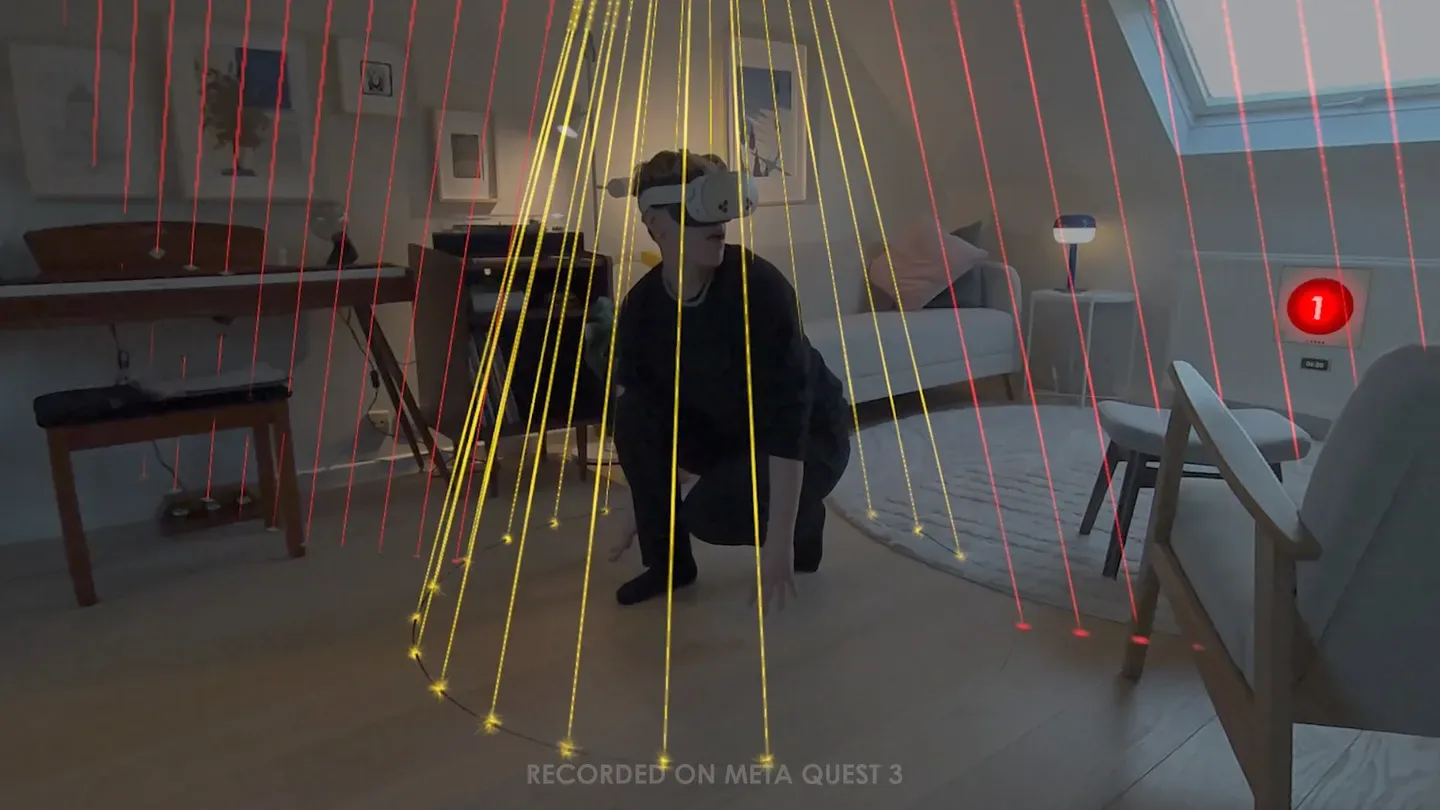
Early mixed-reality games forced you to manually draw boxes around your couch and walls before playing. Today, computer-vision AI maps your room's geometry automatically. In Laser Dance, the headset scans your floor plan in seconds and stretches spy-movie laser mazes from wall to wall around your real furniture, forcing you to duck and crawl through your actual room.
What Talking to AI NPCs Actually Feels Like
Replacing rigid dialogue menus with open-ended voice chat is VR gaming's boldest experiment. Meta introduced Llama-powered conversational NPCs in Horizon Worlds—such as fishing guides in Bobber Bay Fishing and an AI sidekick named "Bazzle" in the action-puzzle world Citadel, where Meta reported nearly a 15% increase in time spent.
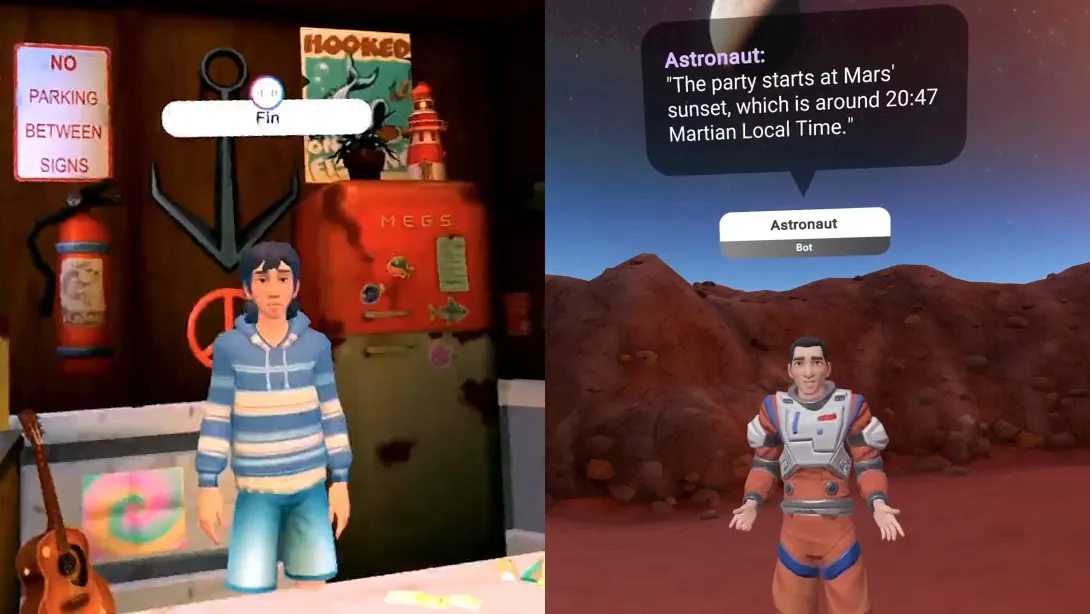
In actual play sessions, player reactions are nuanced. On the plus side, having a responsive guide makes quiet social servers feel far less like a "ghost town" and gives solo players someone polite to interact with away from noisy public lobbies. Yet the seams still show: there is a noticeable beat of hesitation while the AI processes your voice, and strict safety guardrails mean that if you joke around or steer off-topic, the character quickly snaps back to safe, canned lines.
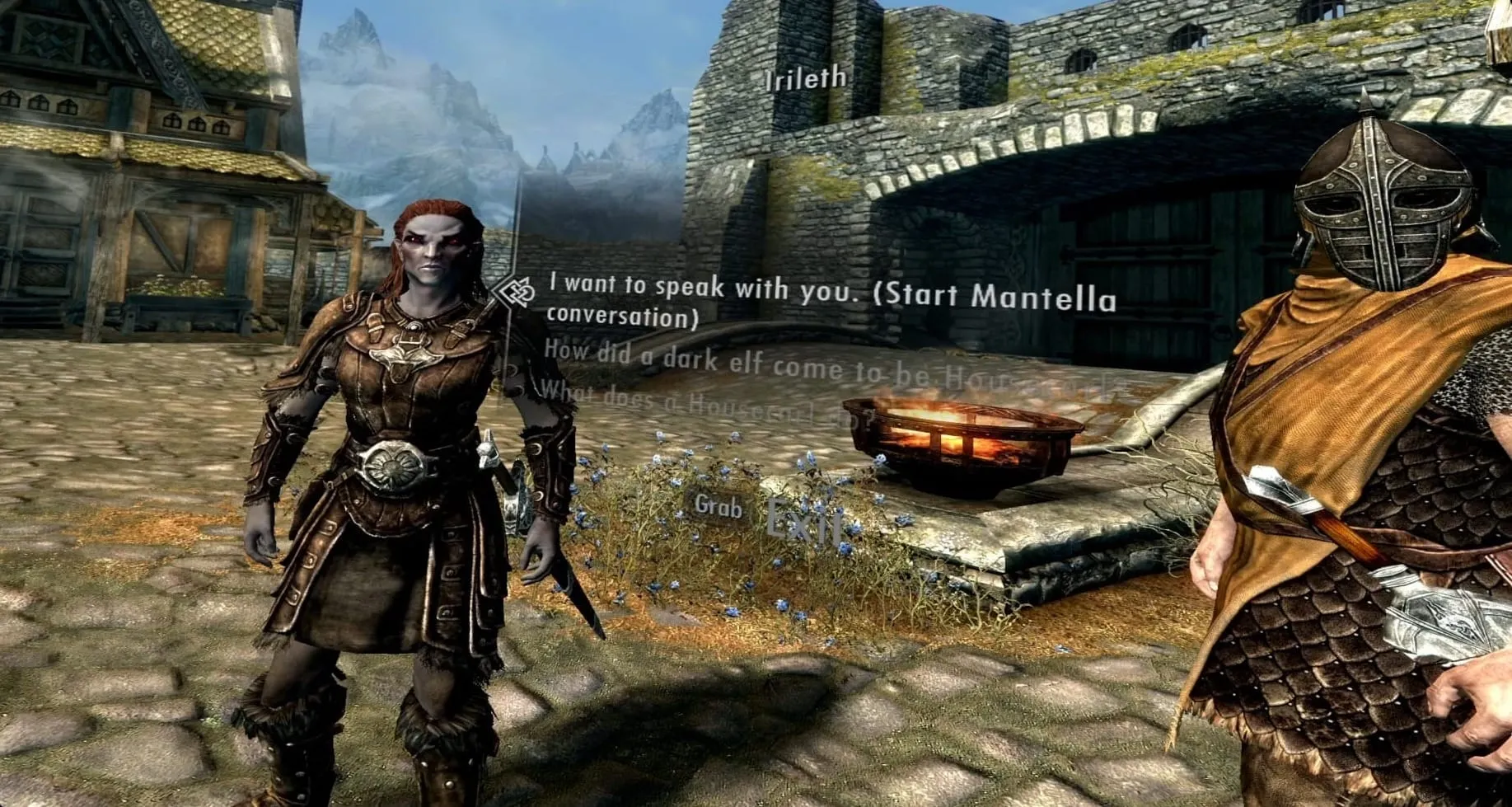
On PC VR, the community mod Mantella for Skyrim VR pushes unscripted roleplay even further, wiring your microphone into LLMs so guards and shopkeepers remember past conversations and can follow you, trade, or draw their swords if insulted. Standing face-to-face with a life-sized guard who reacts to your exact words can give you goosebumps—until a one-to-two-second cloud thinking pause leaves the character staring blankly at you before speaking, breaking the spell.
4. Generative 3D Worlds: Breathtaking Postcards You Cannot Quite Touch Yet
Historically, VR's biggest bottleneck was that building a single detailed 3D room took artists days or weeks. Generative "world models" and neural room capture are now attacking that problem from three angles at once:
- Worlds From a Single Photo or Prompt: Startups like World Labs launched Marble, which turns a text prompt, a rough 3D block layout (via its Chisel tool), or even a single photograph into an explorable 3D Gaussian splat scene you can open in a Quest 3 browser within minutes. Google DeepMind's experimental Genie 3 goes a step further, generating interactive environments frame-by-frame as you walk forward.
- AI-Assisted Game Creation: Inside Meta Horizon Studio, creator tools generate 3D meshes, textures, skyboxes, audio, and TypeScript logic from plain-English descriptions—to the point where roughly one in three new Horizon worlds already incorporates AI-generated assets.
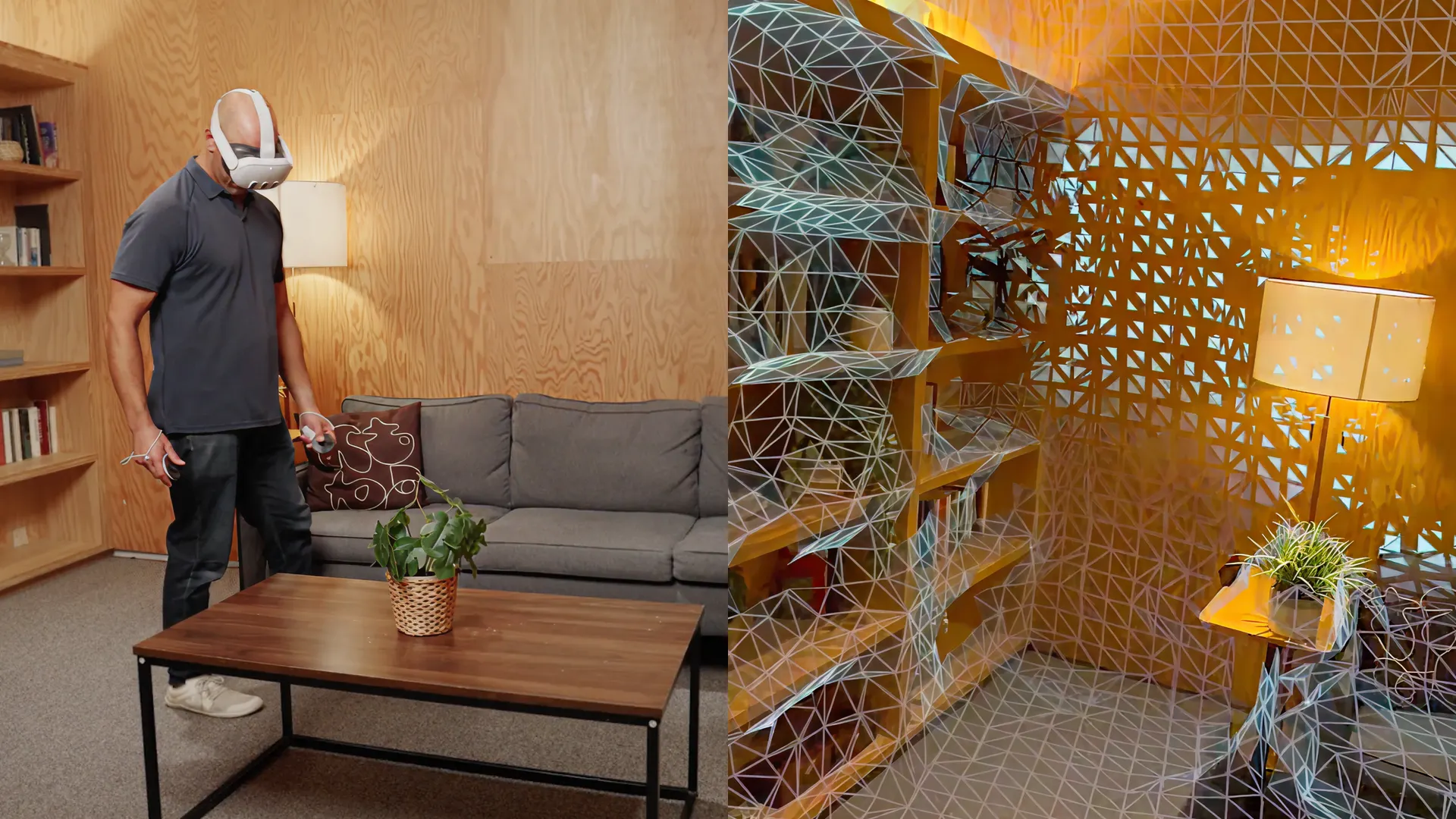
- Photorealistic Room Scanning: With Meta's Hyperscape Capture, Quest 3 and 3S owners can walk around their real bedroom or studio with the headset on; after cloud processing, the space becomes a lifelike virtual room that up to eight friends can visit together.

How do these generated worlds hold up inside a headset? Hands-on testing reveals a sharp gap between sightseeing and actual gameplay. Stepping into a friend's scanned living room via Hyperscape feels uncanny at first, yet switching from solo cloud streaming to local multiplayer rendering on Quest 3 visibly drops the resolution, leaving fine book titles blurry and un-scanned corners smeared. Single-image scenes in Marble load fast, but look noticeably softer than real captures.
More importantly, VR users instinctively reach out to touch things. In most AI-generated scenes today, chairs, cups, and doors are "frozen" into the background geometry—meaning you are walking through a gorgeous 3D postcard rather than an interactive game world. For now, veteran studios mainly use generative 3D tools to prototype layouts and distant backdrops fast, while still hand-crafting the objects players actually grab.
5. Does It Solve Real Problems — and Does It Cost Extra?
Putting user feedback and developer economics side by side, a clear rule of thumb emerges: AI that runs locally on the headset's chip is free after purchase and solves everyday friction, while AI that relies on cloud servers almost always brings a monthly bill.
- Hardware Price Pressure: Fitting faster AI processors and 12 GB to 16 GB of memory into headsets—at the exact moment data-center AI is driving up global memory prices, as IDC's 2026 market tracker highlights—keeps AI-flagship headsets expensive ($1,799 for Galaxy XR and $3,499 at launch for Vision Pro M5), even as Meta holds the $299–$499 entry tier with Quest 3S and Quest 3.
- Why Cloud AI Apps Charge Monthly Fees: Every time you speak to a cloud-powered AI character, the developer pays server bills for speech recognition, language reasoning, and voice synthesis—roughly $0.002 to $0.025 per back-and-forth turn. A studio selling a $20 one-time game with unlimited cloud chat would lose money on its most loyal players. That is why cloud-heavy VR apps lean on subscriptions or credit packs:
- IMMERSE: $15/month ($11.25/month billed annually) for AI conversation practice, or $35/month with live teachers.
- TRIPP (with Kōkua AI): $9.99/month, $49.99/year, or $99.99 lifetime.
- FitXR: $12.99/month or $107.99/year membership.
- World Labs Marble: Credit-metered plans at $20/month (~12 worlds) and $35/month (~25 worlds with commercial export rights), plus $5–$50 top-up packs.
- PC VR AI Mods (Mantella): Free mod, but players pay their own per-token OpenAI/OpenRouter bills unless they own a beefy gaming PC capable of running local models for free.
- Zero Extra Cost for On-Device AI: When AI runs entirely on the headset—such as built-in voice/vision assistants, room scanning in Laser Dance ($9.99 one-time), or local speech lessons in Noun Town ($19.99 one-time, no subscription)—you pay nothing extra after buying the headset or app.
| VR AI Category | Real-World Examples | Does It Solve a Real Need? | Extra Cost to Users |
|---|---|---|---|
| Headset & OS AI | Meta AI Vision, Galaxy XR (Gemini), Vision Pro (M5), AI Upscaling | Yes: Kills virtual typing, sharpens graphics, tracks hands/body smoothly | $0 monthly (included in headset price, though high-RAM flagships cost more upfront) |
| Room-Scanning & Local AI Games | Laser Dance, Noun Town, Eleven Table Tennis | Yes: Turns real rooms into instant playfields; works without server lag | $0 monthly ($9.99–$29.99 one-time purchase) |
| Cloud AI Coaching & Wellness | IMMERSE, TRIPP (Kōkua AI), FitXR | Yes, for learners: Judgment-free speaking practice and adaptive workouts | $9.99–$35/month recurring app subscriptions |
| Talking Cloud NPCs & 3D World Generators | Horizon AI NPCs, Skyrim VR Mantella, World Labs Marble, Hyperscape | Partially: Impressive novelty and fast scene building, held back by reply lag and frozen physics | $20–$95/month credit plans or pay-as-you-go API / PC GPU costs |
The Bottom Line
Right now, the best AI in VR is the kind that gets out of your way: automatic room mapping, sharper frame rates, and patient voice tutors that help you practice real-life skills without embarrassment. Generative talking NPCs and instant 3D worlds offer thrilling glimpses of where VR is headed, but response pauses and non-interactive objects show they are still maturing—and because cloud compute is expensive, users often pay for them every month. Until next-generation headset chips can run smart, instant language and world models entirely offline, the most wallet-friendly VR experiences will remain the ones running AI right on your face rather than in the cloud.
Bạn thích bài viết này?
Hãy thích để cho biên tập viên biết, hoặc lưu lại để đọc sau.

Bình luận
Đăng nhập để tham gia cuộc trò chuyện.
Đăng nhậpChưa có bình luận. Hãy bắt đầu cuộc trò chuyện.
·