
VRChat plans Quick Menu redesign for 2026.4.2
VRChat plans Quick Menu redesign for 2026.4.2, reorganizing the Here page and Quick Profile while keeping the legacy Teal theme free without VRC+.
By vrBlogs
· 3 min read · Source: MIXED
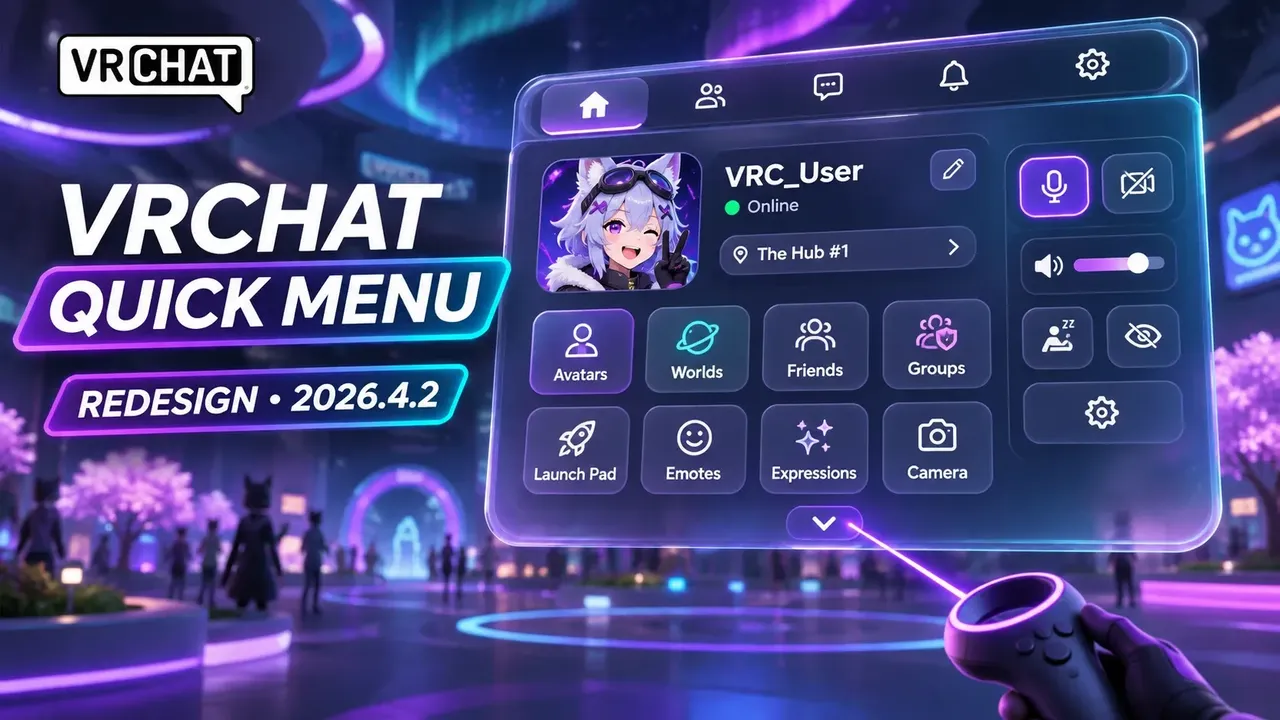
VRChat plans Quick Menu redesign for 2026.4.2, refreshing both the “Here” page and Quick Profile. Previewed in the company's November 5, 2026 Developer Update ahead of the 2026.4.2 open beta, the overhaul reorganizes social, moderation and instance controls to reduce scrolling.
The changes are arriving piece by piece rather than replacing every menu at once. VRChat is applying a new default color theme across the interface while updated layouts roll out section by section, and it has not set a final release date for every part of the wider visual refresh.
Here page moves people and controls higher
The redesigned “Here” page pulls the user list above the fold so players can immediately see who shares an instance without scrolling as far. Frequently used actions—including friending, self-service moderation, instance operations and Gift Drop—receive dedicated room near the top.
An optional toggle button sorts the user list in consecutive alphabetical order without prioritizing friends or user trust classes. When that toggle is off, VRChat keeps its familiar segmented categories.
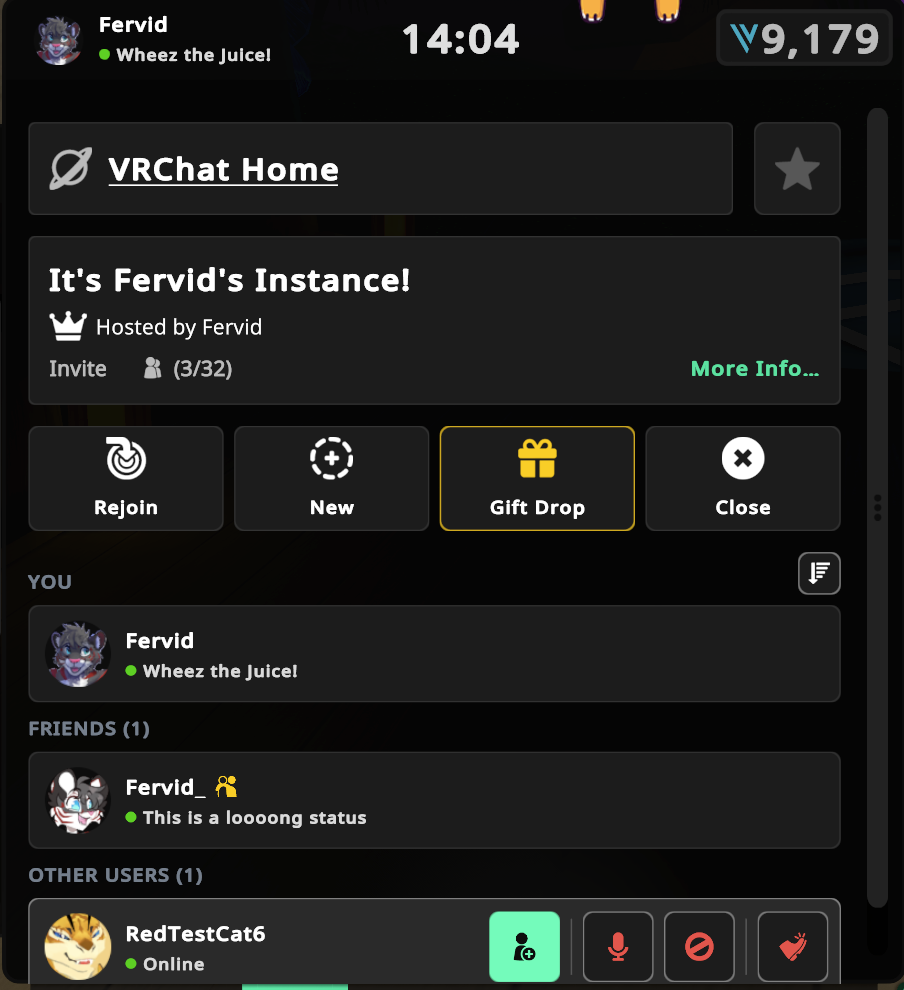
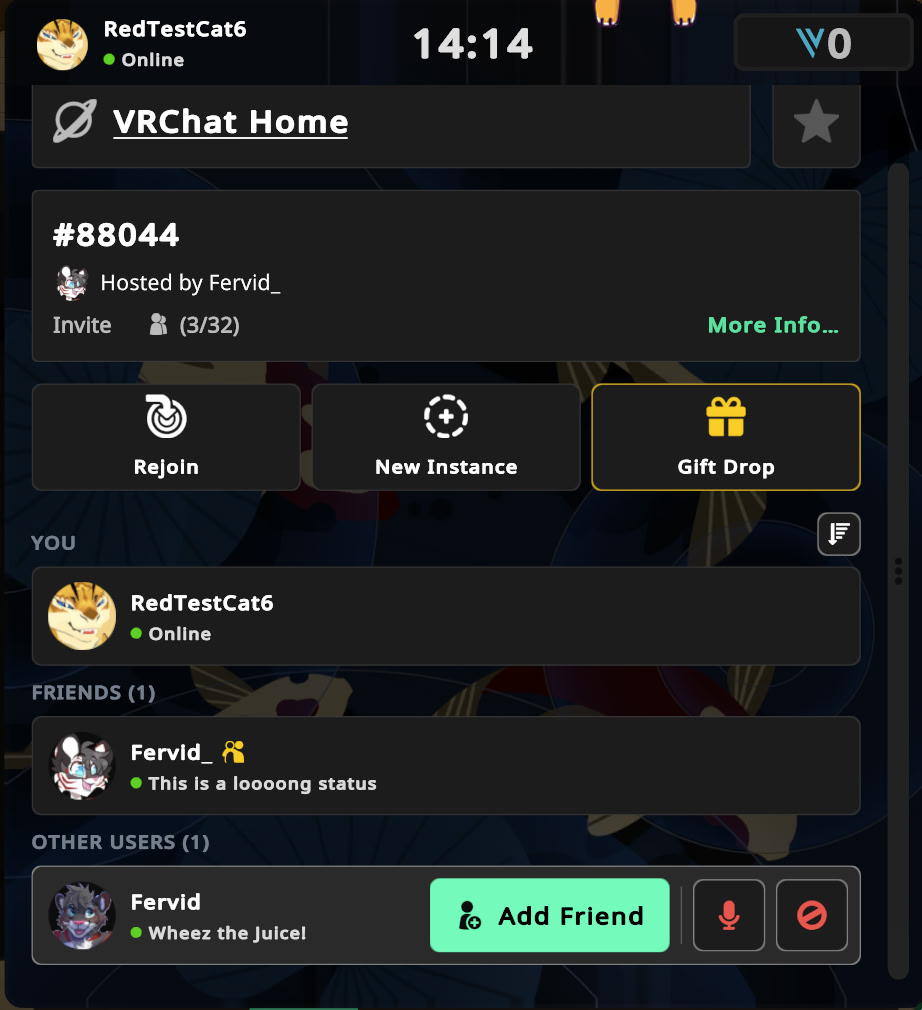
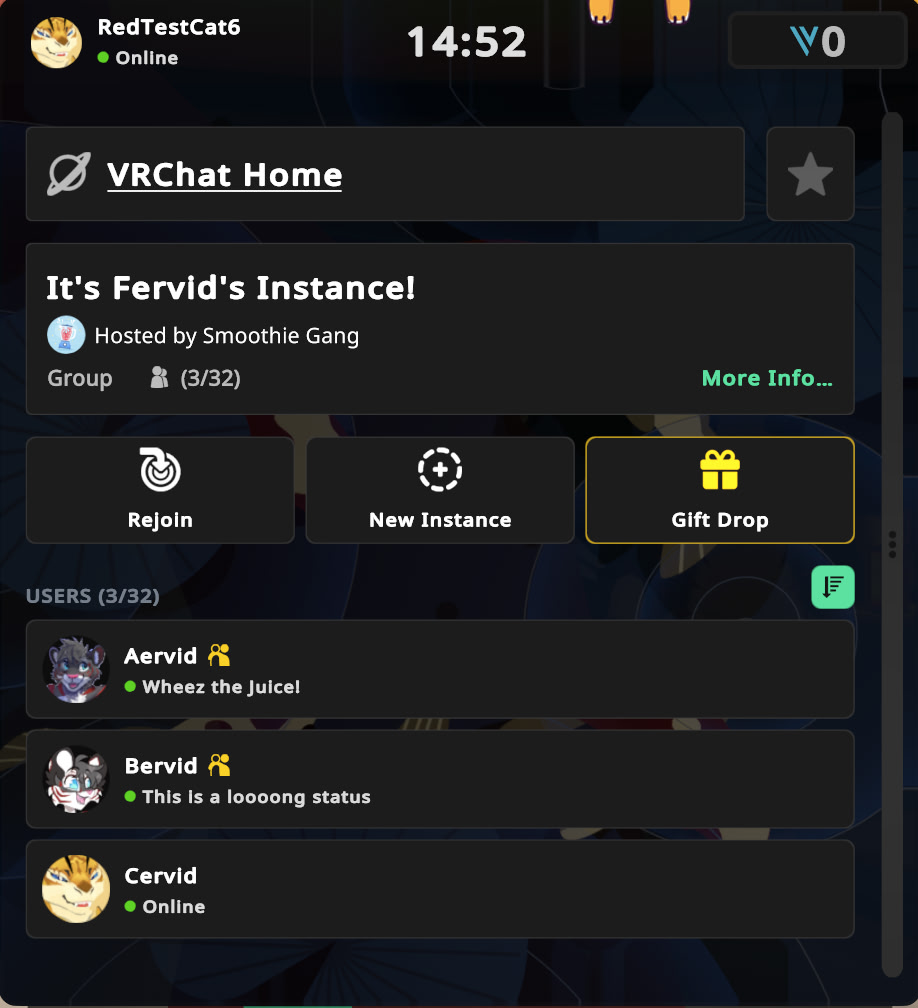
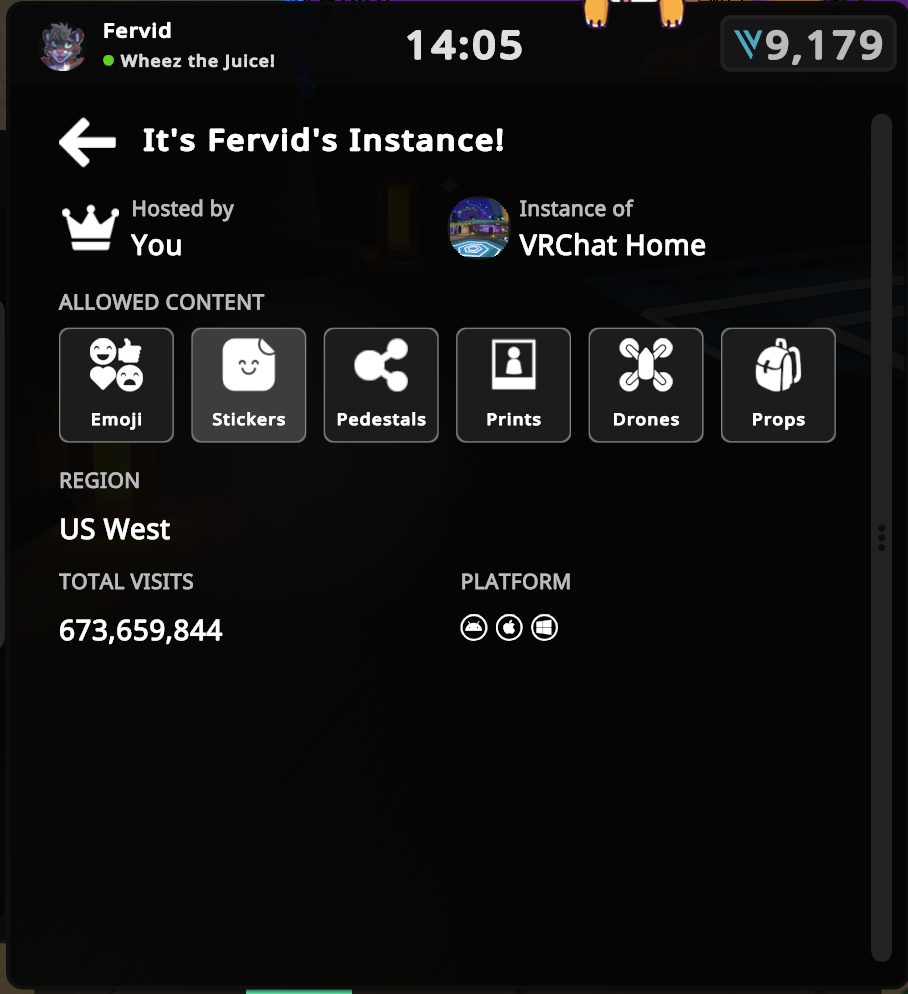
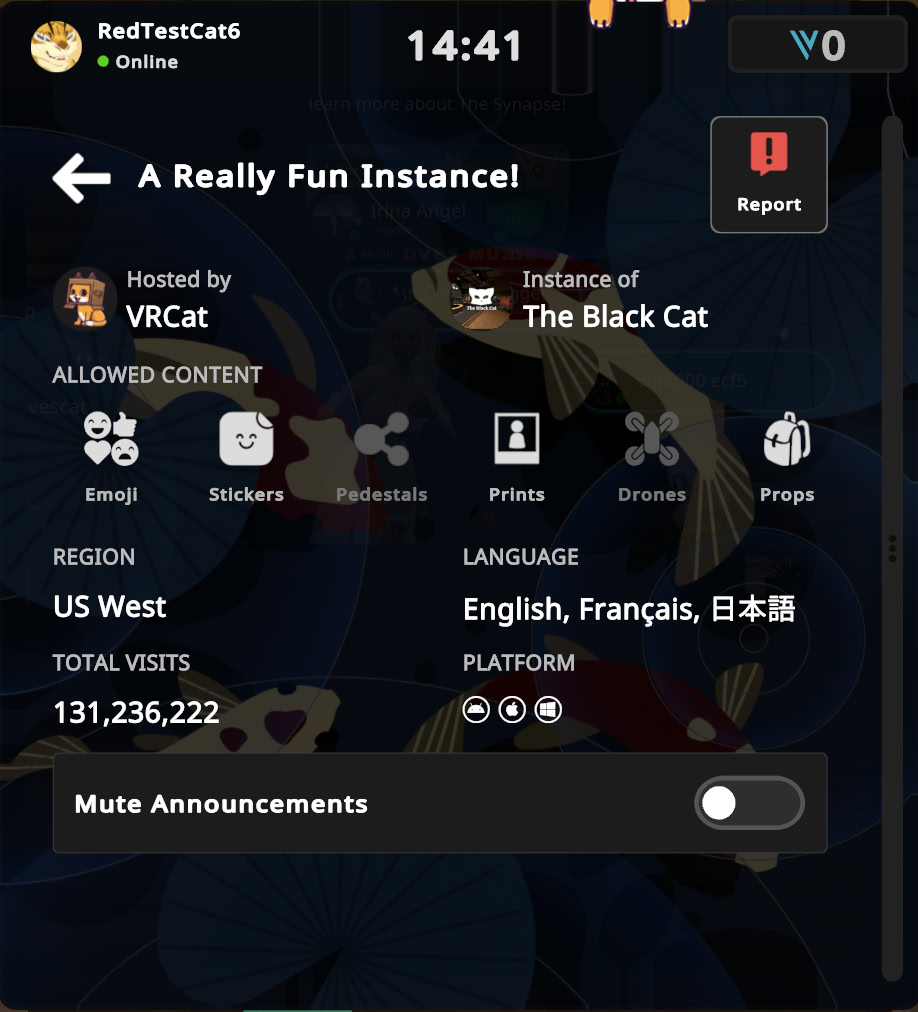
Selecting More Info… opens a dedicated instance-details page where VRChat has relocated instance content settings such as Emoji, Stickers, Pedestals, Prints, Drones and Props. Moving those switches off the main tab prevents instance owners from accidentally toggling features like Prints off while looking for them.
Depending on the instance metadata, the details screen also shows the host, region, total visits, supported platforms and creator-defined tags such as spoken languages. Instance owners can toggle content permissions there, while visitors see a read-only view alongside the relocated instance Report button and the Mute Announcements switch for group instances.
Quick Profile: old vs. new layout
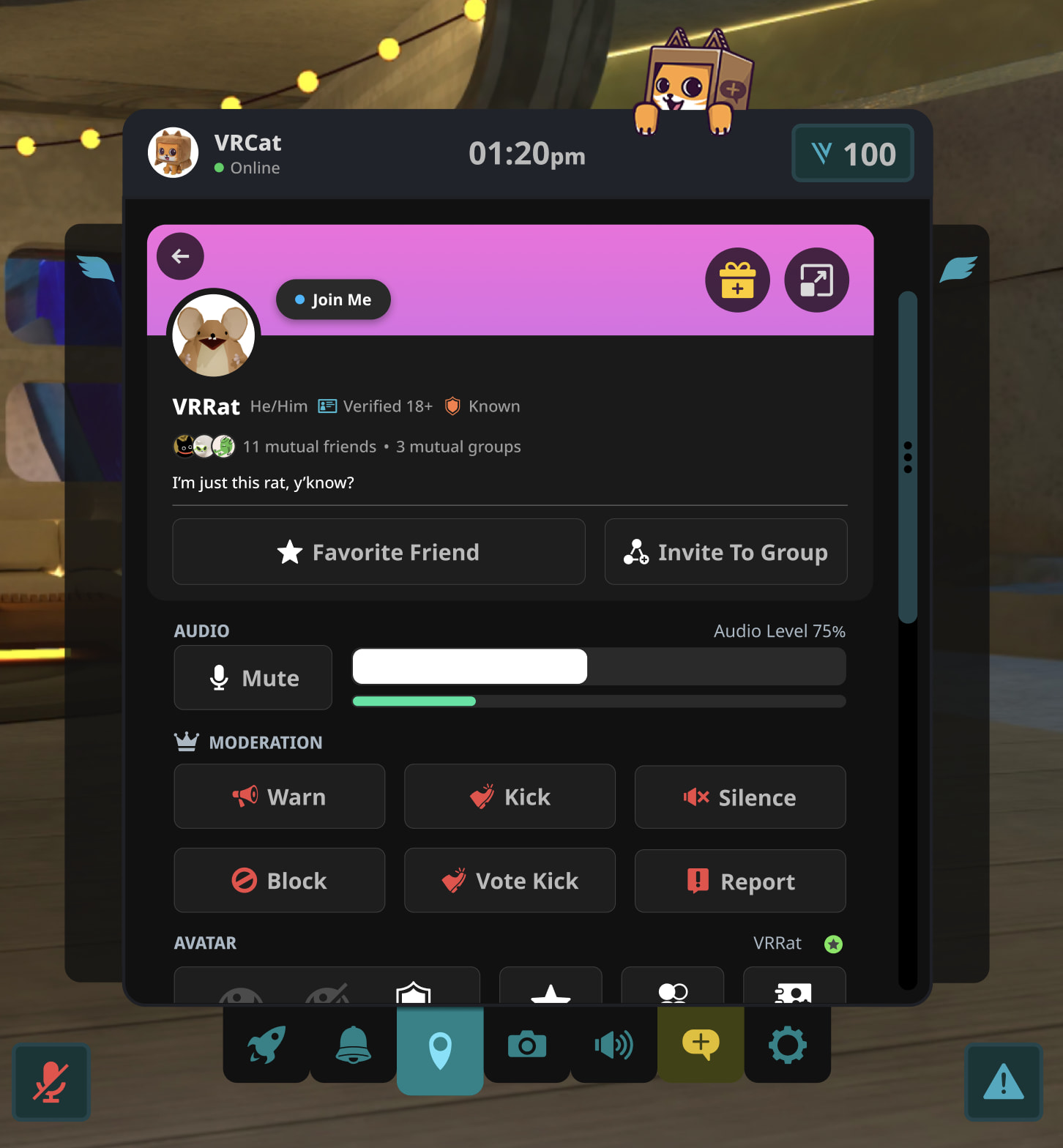
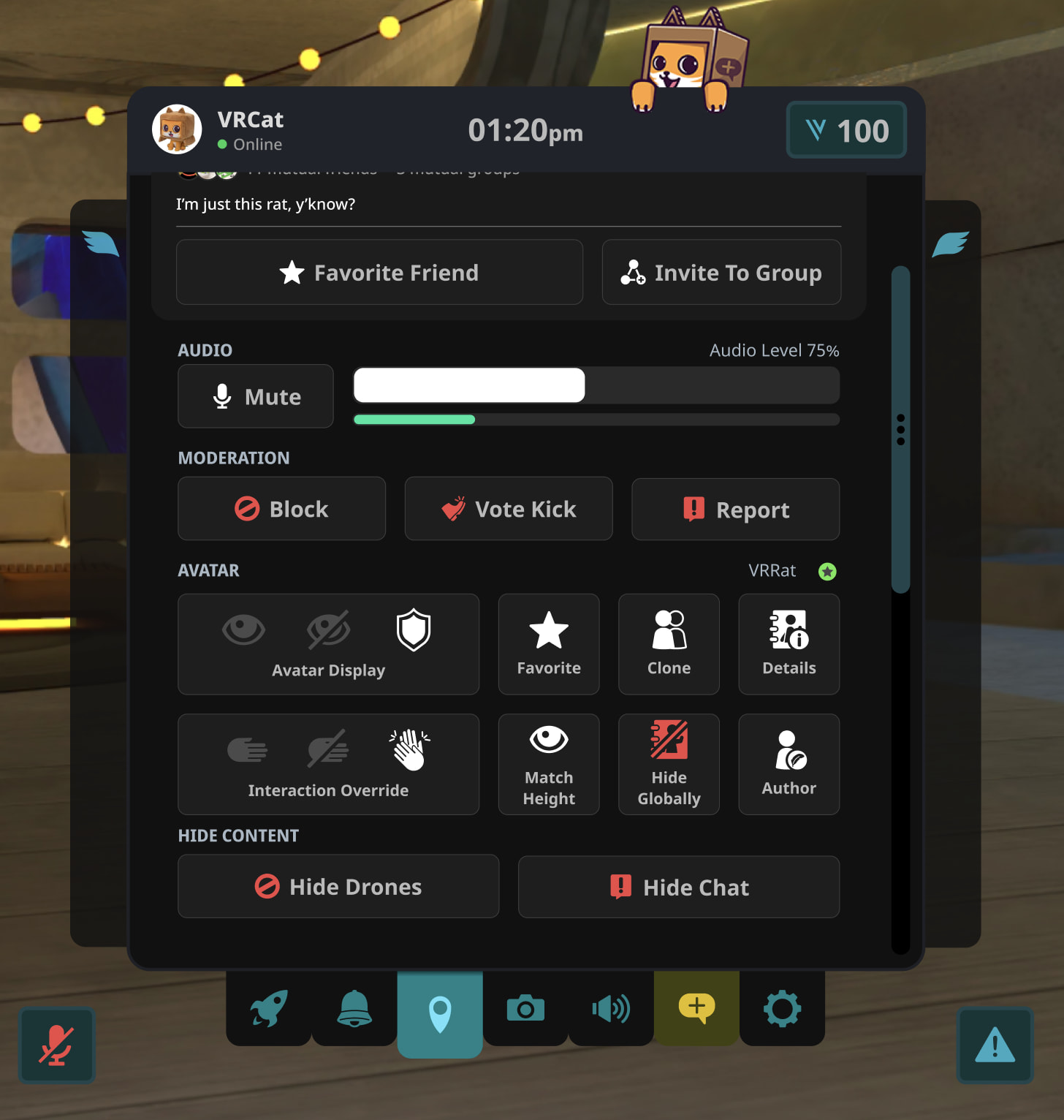
Quick Profile—the action-heavy view opened by selecting another player in an instance—also receives a structural cleanup in 2026.4.2. Previously, Avatar Display sat directly beneath the mic slider while social, voice and block buttons were mixed together below.
In the redesigned layout, the customizable profile card stays at the top with social actions such as Favorite Friend, Invite To Group and gifting placed immediately beneath it. Mute (formerly labeled User Voice) now sits right beside the volume slider, while Block, Vote Kick and Report are grouped in a dedicated moderation row with red-tinted icons.
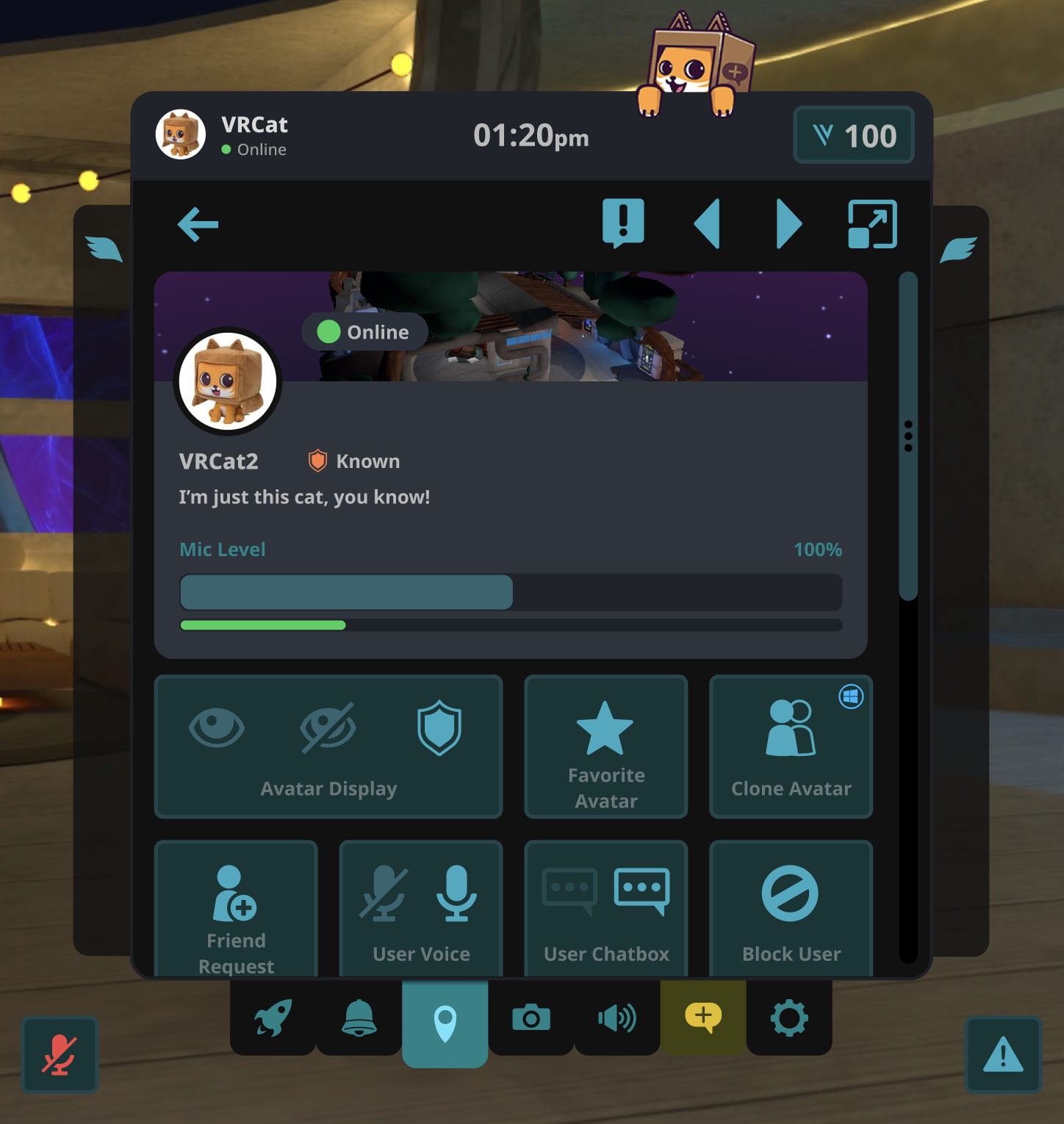
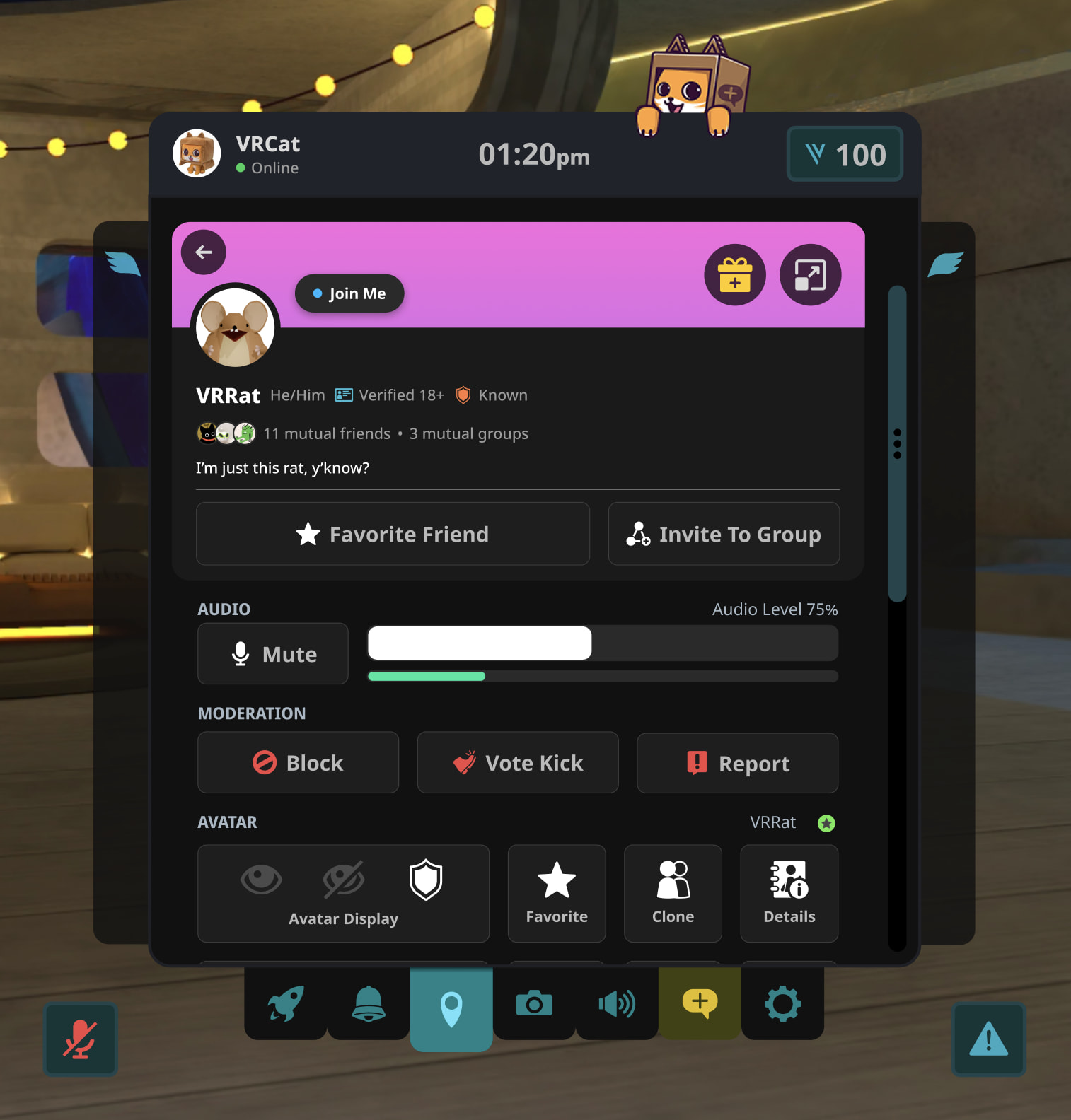
VRChat says the tighter grouping exposes 12 actions without scrolling, up from nine in the previous design, while keeping Avatar Display in a similar spot to preserve muscle memory. Users with moderator privileges in an instance also see Warn, Kick and Silence directly in the moderation section, with remaining avatar and content-hiding controls a short scroll below.
Teal colors remain available without VRC+
Players who prefer the classic color palette can switch back via Inventory > Cosmetics > UI Themes > Teal without needing a VRC+ subscription. Selecting Teal restores the familiar colors, though the updated page layouts and future UI changes still apply.
Custom VRC+ themes continue to work with minor brightness and contrast adjustments, while text and certain controls on updated screens use neutral white and gray for legibility. VRChat expects no performance impact on Quest or mobile devices and asks players to report theme bugs or layout feedback through its Canny boards.
Enjoyed this story?
Like it to tell the editors, or save it to read later.
Comments
Sign in to join the conversation.
Sign inNo comments yet. Start the conversation.
·