क्या 2026 में Valve Index खरीदना अब भी सही है? उपलब्धता और इस्तेमाल किया हुआ खरीदने की गाइड
Steam Frame लॉन्च होने के बाद Valve ने October 2026 में Index का उत्पादन बंद कर दिया। जानें कि आज Valve Index खरीदना सही है या नहीं, Steam Store पर मौजूदा क्लियरेंस उपलब्धता, उचित सेकंड-हैंड कीमतें और इस्तेमाल किया हुआ किट खरीदने से पहले जांचने वाली हर आम हार्डवेयर खराबी।
- मध्यवर्ती
- 20 मिनट
- SteamVR 2.8+ को जाँचा गया
- अंतिम बार 6 नवंबर 2026 को जाँचा गया

द्वारा LongZ
अपडेट किया गया · पढ़ने में 8 मिनट
आपको क्या चाहिए
- DisplayPort 1.2+ output और free USB 3.0 port वाला VR-ready Windows या Linux PC
- SteamVR 2.0 Base Stations के लिए कम-से-कम 2m × 1.5m खाली floor space और दो power outlets
- Second-hand kit जांचते समय SteamVR चलाने वाले test PC (या live video call demonstration) की पहुंच
- Lenses, rubber seals, tether cable और controller seams जांचने के लिए bright flashlight या smartphone light
June 2019 में लॉन्च होने के सात साल से अधिक समय बाद, Valve Index का निर्माण आधिकारिक रूप से समाप्त हो गया है। Valve का हार्डवेयर फोकस standalone-capable Valve Steam Frame पर जाने के साथ, PC VR खरीदारों के सामने अहम सवाल है: क्या 2026 में Valve Index खरीदना अब भी सही है, और क्या इसे सेकंड-हैंड खरीदना सुरक्षित है?
यह खरीद गाइड Valve Index की मौजूदा उपलब्धता, आधुनिक हेडसेट्स के मुकाबले इसके हार्डवेयर, आज की उचित सेकंड-हैंड कीमत और इस्तेमाल किए गए किट में हर आम हार्डवेयर खराबी की विस्तृत जांच सूची बताती है।
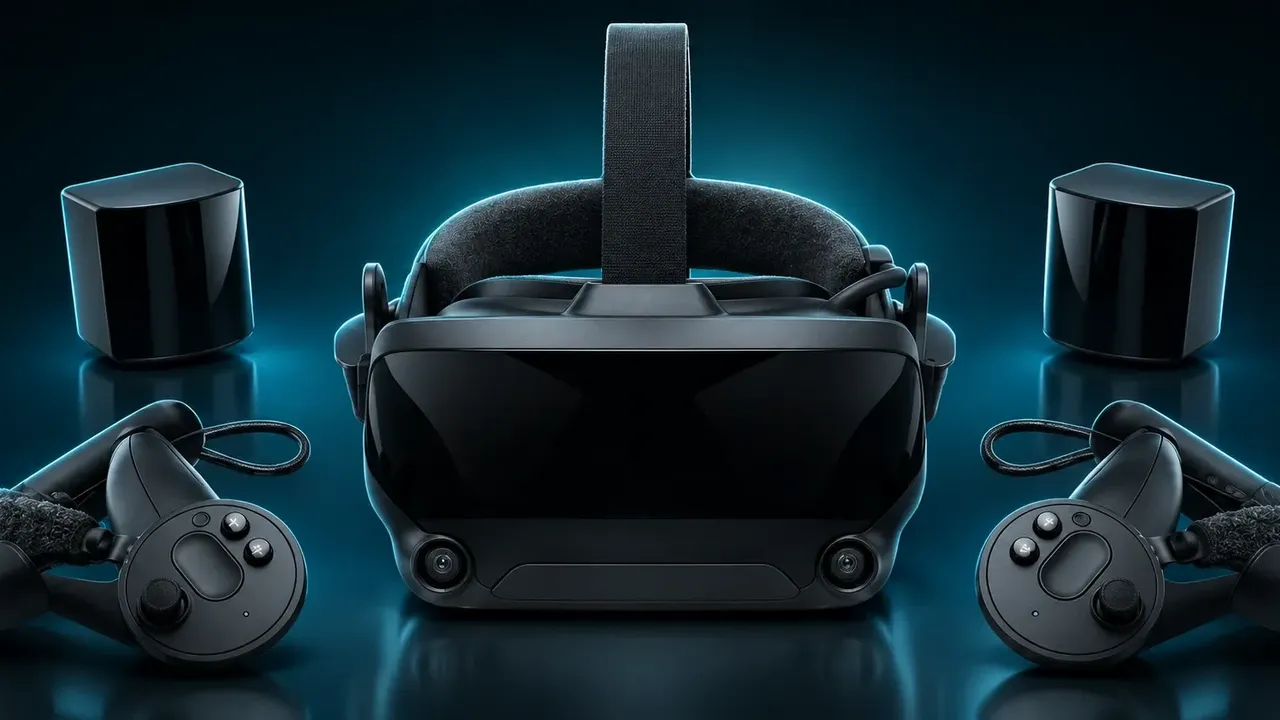
1. क्या Valve Index 2026 में अब भी बिकता है?
नहीं—Valve Index आधिकारिक रूप से बंद हो चुका है। October 2026 में Valve Steam Frame के लॉन्च के बाद, Valve ने पुष्टि की कि Index हेडसेट और उसके accessories का उत्पादन समाप्त हो गया है।
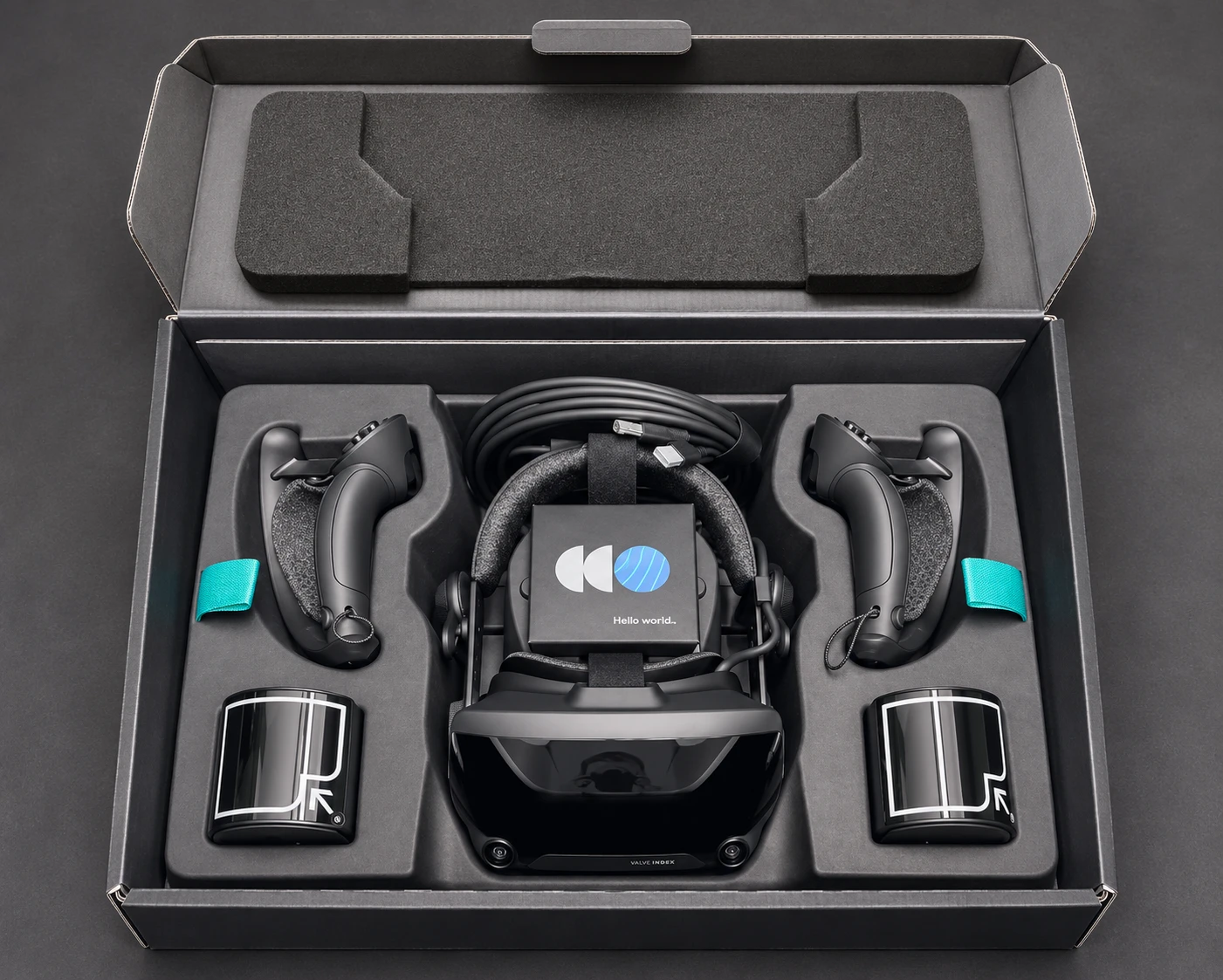
- पूरे रिटेल किट समाप्त: मूल $999 Complete VR Kit (हेडसेट, दो controllers और दो base stations) अब Steam Store पर नहीं बिकता।
- केवल क्लियरेंस components: Valve बचे हुए warehouse stock को individual components बेचकर समाप्त कर रहा है—जैसे लगभग $399 में discounted standalone headsets, individual controllers और replacement face gaskets—सिर्फ stock रहने तक।
- सॉफ्टवेयर सपोर्ट जारी: बंद होना केवल manufacturing पर लागू है। Valve अब भी SteamVR के भीतर Index को पूरी तरह support करता है और Steam Support troubleshooting संभालता है, हालांकि warranty से बाहर replacement parts कम होते जा रहे हैं।
क्योंकि third-party resellers के factory-sealed full kits की कीमतें बहुत बढ़ चुकी हैं, 2026 में पूरा Valve Index setup पाने का मुख्य तरीका used market है।
2. आज Valve Index का प्रदर्शन कैसा है?
जहाँ Index अब भी बेहतर है
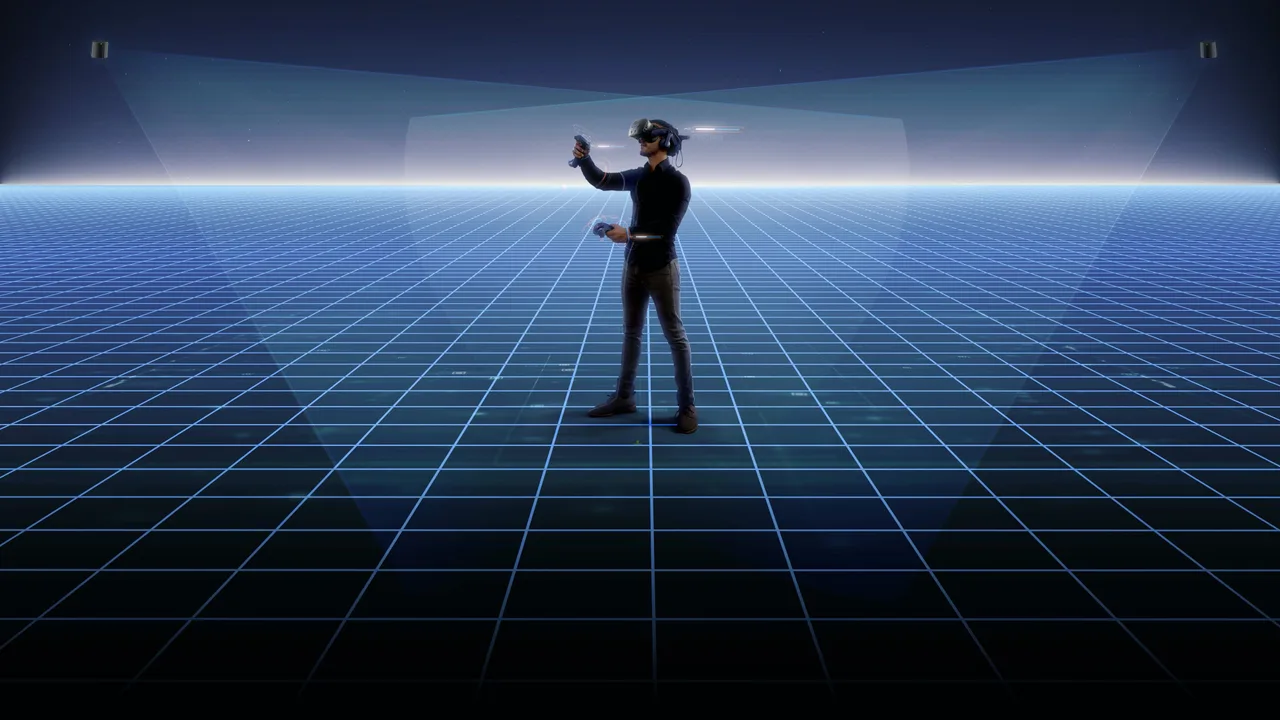
- Zero-Blind-Spot Lighthouse Tracking: इसके external SteamVR 2.0 Base Stations fixed lasers से कमरे को प्रति सेकंड 100 बार scan करते हैं। Camera-based inside-out tracking के विपरीत, आपके हाथ पीठ के पीछे या ठुड्डी के पास भी tracked रहते हैं, और ecosystem full-body tracking के लिए Vive और Tundra Trackers को native रूप से support करता है, VRChat में भी।
- "Knuckles" Controllers: प्रत्येक controller में individual finger curl, capacitive touch और grip squeeze force track करने वाले 87 sensors हैं, इसलिए objects छोड़ने या स्वाभाविक रूप से फेंकने के लिए हाथ पूरी तरह खोल सकते हैं।
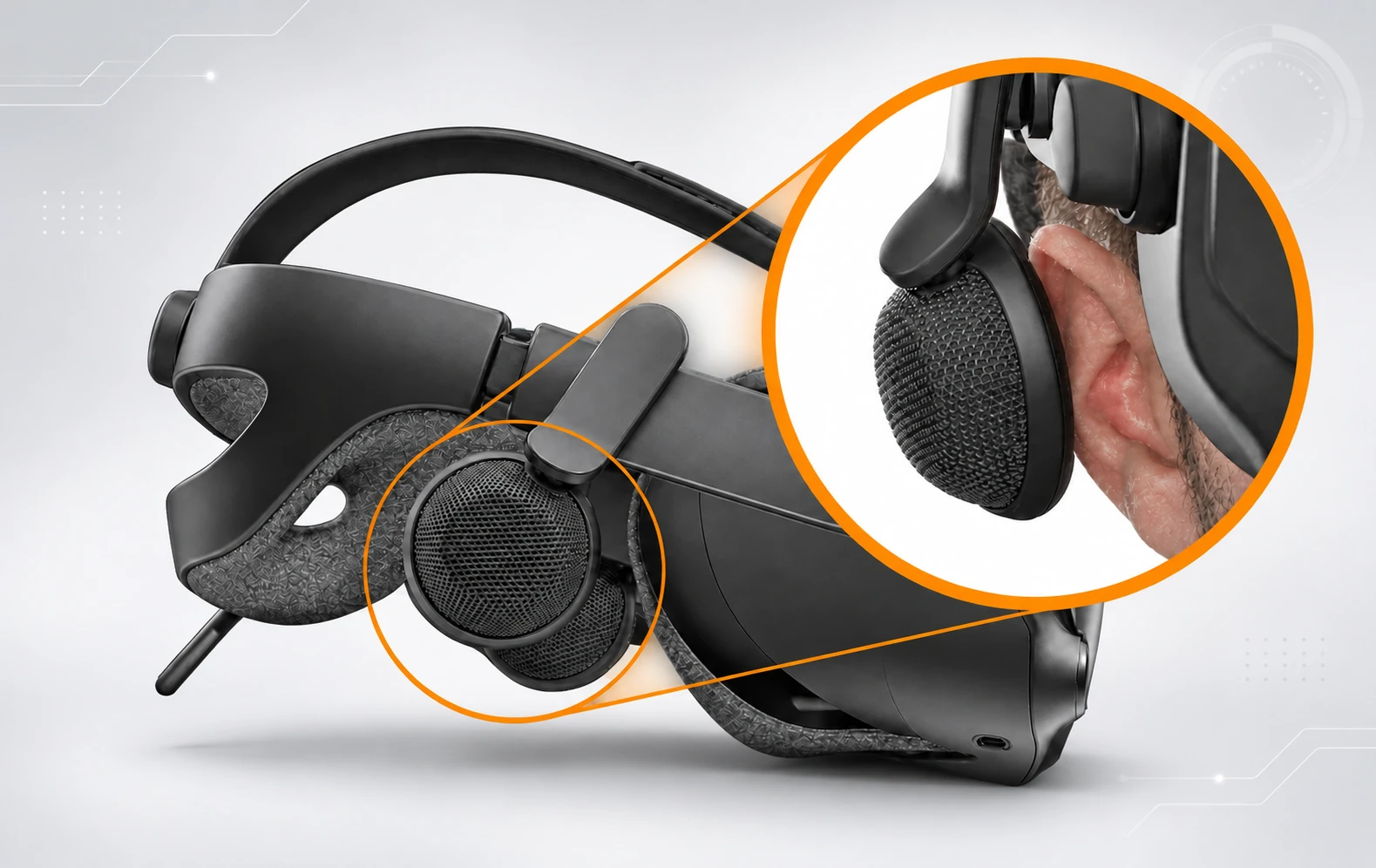
- बेहतरीन Off-Ear Audio और Comfort: कानों से अलग लगे hovering Balanced Mode Radiator (BMR) speakers गर्मी बढ़ने से रोकते हैं और wide, natural soundstage तथा दमदार bass देते हैं।
- Uncompressed 120Hz / 144Hz Native DisplayPort: DisplayPort 1.2 के जरिए GPU से सीधे जुड़ने के कारण wireless compression और encoding latency बिल्कुल नहीं होती, तथा Beat Saber जैसे fast games में 120Hz और 144Hz पर बेहद स्पष्ट motion मिलता है।
जहाँ Index पुराना दिखता है
- पुराना Resolution (प्रति आँख 1440 × 1600): प्रति आँख 2000 × 2000 pixels से अधिक वाले आधुनिक headsets की तुलना में flight या racing simulators में cockpit का छोटा text धुंधला दिखता है और हल्का screen-door pattern दिखाई देता है।
- Fresnel Lens Glare ("God Rays"): Dual-element canted Fresnel lenses में dark background पर चमकदार सफेद text या logos दिखाई देने पर noticeable internal reflections होती हैं—यह समस्या Meta Quest 3 और Bigscreen Beyond 2 के आधुनिक pancake lenses में काफी हद तक हल हो गई है।
- LCD Black Levels: Horror games या Half-Life: Alyx के dark scenes असली black के बजाय उभरे हुए gray दिखते हैं।
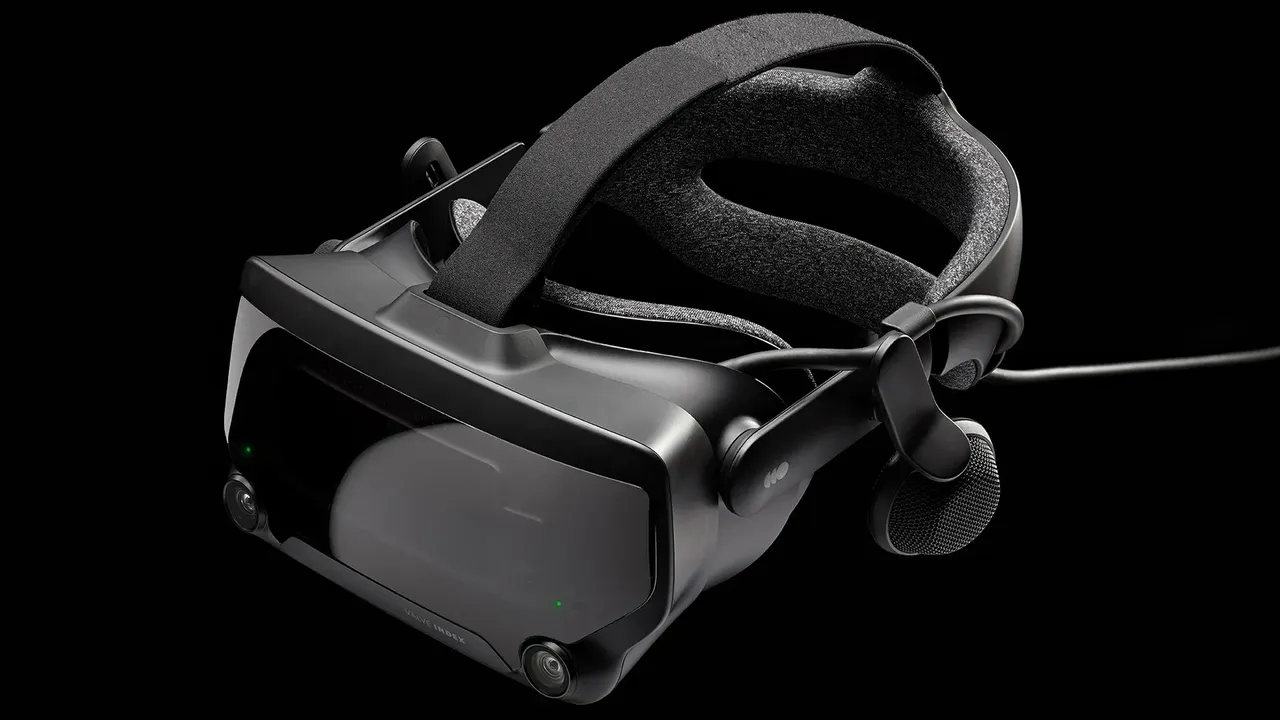
- भारी Tether और fixed room setup: 809g वजन, thick 5-meter cable और wall-mounted base stations के कारण Index wireless PC VR streaming की सुविधा से मुकाबला नहीं कर सकता।
3. Used Valve Index खरीदना: आम hardware समस्याएँ जांचें
अधिकांश second-hand Valve Index kits ने तीन से छह साल का भारी उपयोग देखा है और उनकी warranty काफी पहले समाप्त हो चुकी है। Spare parts अब manufacture नहीं होते, इसलिए एक टूटा component secondary market में बदलने पर $130–$160+ लग सकता है। भुगतान से पहले इन चार खराबी-प्रवण हिस्सों की सावधानी से जांच करें।
A. Index Controllers ("Knuckles"): Drift, Sensors और Battery Wear
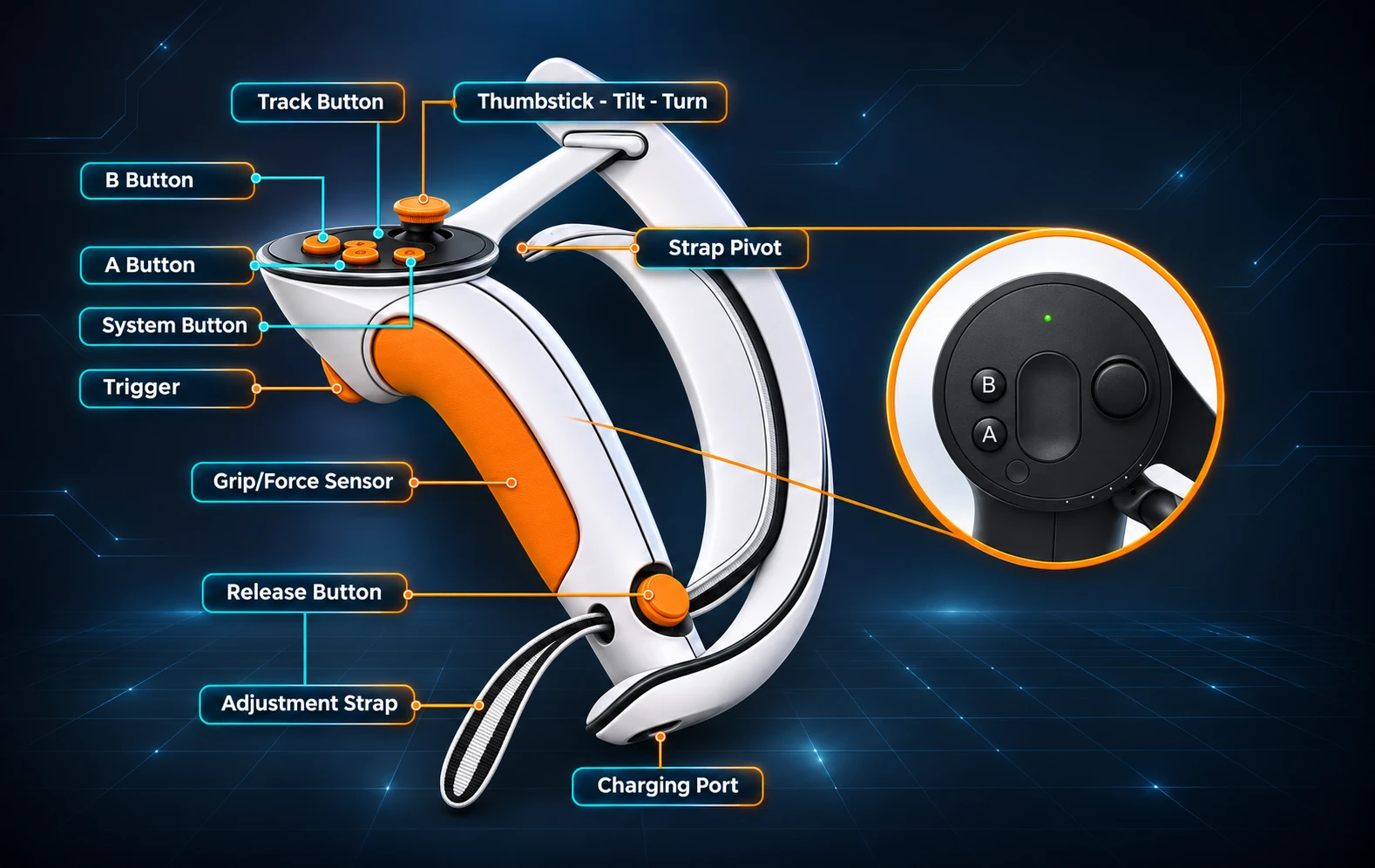
- Thumbstick Drift और Stick-Click Failure (L3/R3): यह used Index kits की सबसे आम खराबी है। Sprint करने के लिए analog stick को आगे झुकाकर बार-बार click करने से internal ALPS potentiometer घिसता है।
- जांच कैसे करें: खोलें SteamVR Settings > Controllers > Test Controller। दोनों thumbsticks को outer rim के चारों ओर धीरे घुमाएँ और center पर छोड़ें। Jitter, dead zones या phantom movement देखें और जांचें कि stick दबाने पर हर दिशा में साफ click हो।
- Capacitive Finger-Tracking Glitches: पसीना अंदर जाने या दीवार से टकराने पर individual finger sensors—अक्सर ring या pinky finger—मुड़े हुए अटक सकते हैं या अनियमित रूप से हिल सकते हैं।
- जांच कैसे करें: Controllers पहनकर pinky से index तक उंगलियों को कई बार सहजता से drum करें, ताकि dynamic calibration शुरू हो। VR में सभी पाँच उंगलियों का सही खुलना-बंद होना जांचें और thumbsticks के ऊपर, A/B buttons तथा triggers के capacitive touch sensors भी test करें।
- खराब Internal Li-Ion Batteries: Controllers में non-removable 1100 mAh internal batteries हैं, जो नई होने पर 7–8 घंटे चलने के लिए rated हैं। पुराने units में capacity 2–3 घंटे से कम हो सकती है या controller charge रखना पूरी तरह बंद कर सकता है।
- टूटा Hand-Strap Adjustment Clip और Squeaky Triggers: Grip के ऊपर metal adjustment arc जांचें, जहाँ strap घूमता है। Internal spring lock टूटने पर strap dotted positions में lock होने के बजाय ढीला खिसकेगा। दोनों triggers धीरे खींचकर loud mechanical squeaks या कमजोर return springs जांचें।
B. 3-in-1 Tether Cable और Breakaway Connector
- Internal Wire Fatigue ("Sparkling Pixels" और Audio Crackling): Tether cable को वर्षों तक मोड़ने, लपेटने या उस पर पैर रखने से उसका internal shielding खराब होता है।
- जांच कैसे करें: Headset के भीतर dark environment देखें और headset strain relief तथा breakaway joint के पास cable को धीरे मोड़ें। यदि tiny flashing RGB या white "sparkles" (snow) दिखें, speakers में popping noises सुनाई दें या SteamVR Error 436 (DisplayPort connection trouble) आए, तो cable खराब हो रहा है और बदलना होगा।
- घिसा हुआ Breakaway Connector: Trident splitter का in-line breakaway plug सीमित disconnect cycles वाला emergency trip-release है। यदि पिछले owner ने हर session के बाद इसे unplug किया, तो fragile internal pins मुड़े या intermittent हो सकते हैं।
- टूटे Cable Routing Clips: Headset के left side और rear strap के साथ लगे plastic retention clips जांचें; टूटे होने पर भारी cable face gasket के पीछे proprietary socket पर सीधे खिंचता है।
C. Headset Lenses, Displays और Mechanical Dials
- Scratch हुआ Anti-Reflective Coating: Index lenses को आँखों के बिल्कुल पास लाने देता है, इसलिए eyeglasses अक्सर plastic optics के center से रगड़ते हैं। दोनों lenses के center में cloudy, blurred scuff patch देखें।
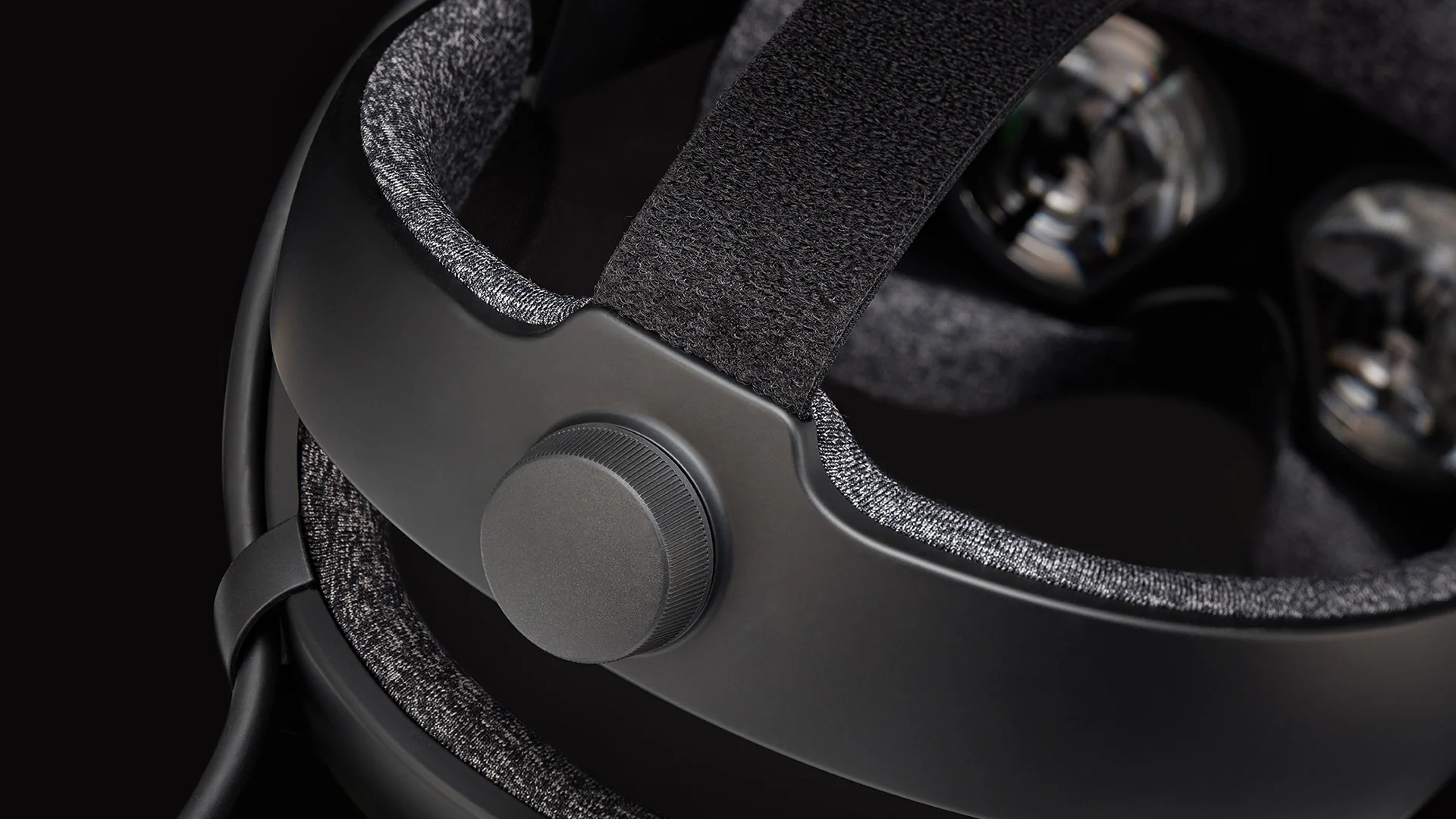
- Peeling Lens Rubber Gasket और Optics के अंदर Dust: Heat और facial sweat प्रत्येक lens के चारों ओर लगे thin rubber ring के नीचे adhesive को खराब करते हैं। Rubber seal ढीली हो तो headset powered on करके ध्यान से lens के पीछे फंसे dust specks या hairs जांचें—ये सीधे internal optical element पर होते हैं और पोंछे नहीं जा सकते।
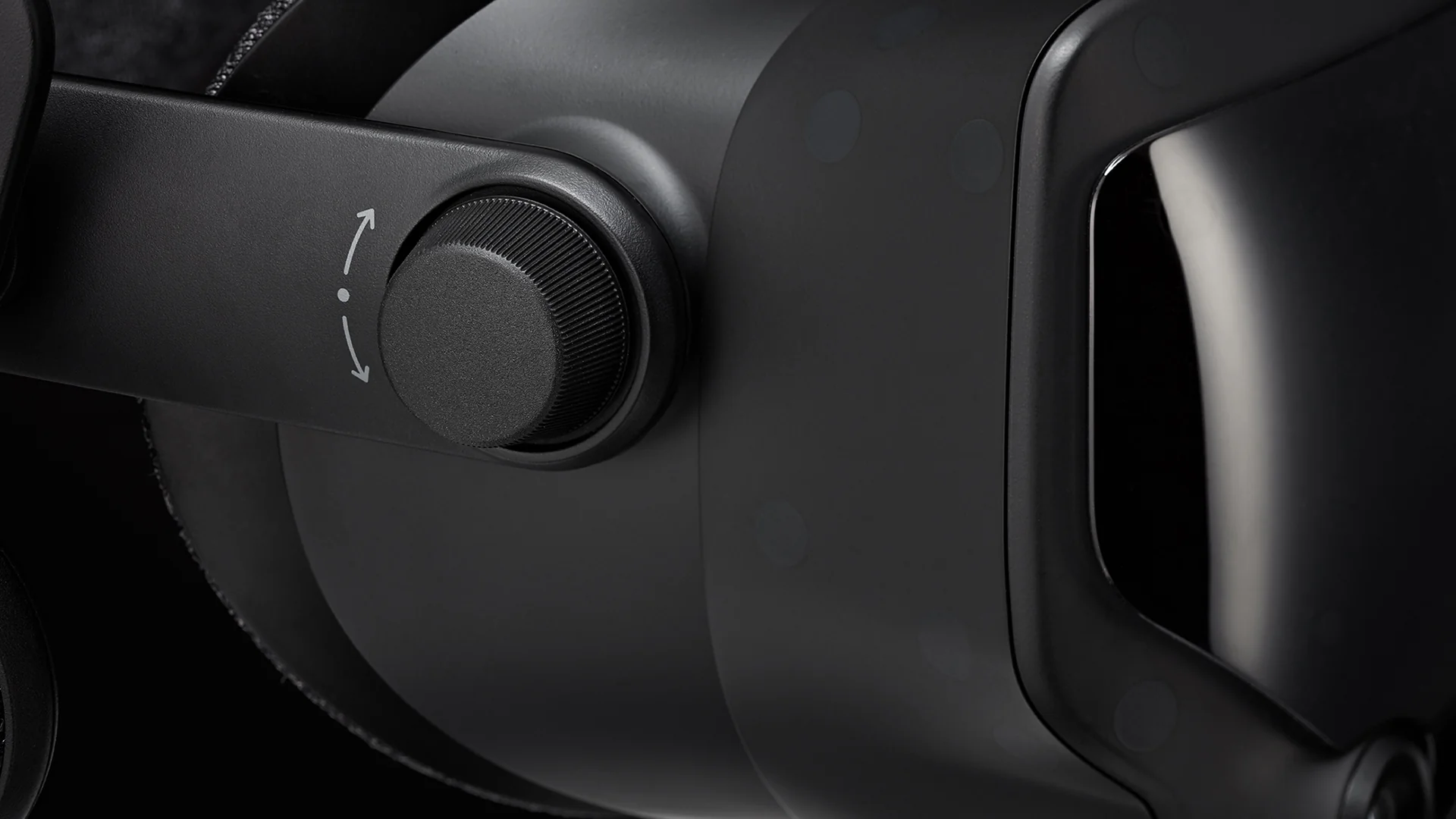
- घिसे हुए Eye-Relief Dial Gears: Right temple का eye-relief knob घुमाने से पहले अंदर दबाना जरूरी है। कई users अंदर दबाए बिना जोर से घुमाते हैं, जिससे plastic gear teeth घिस जाते हैं।
- जांच कैसे करें: Right-side dial को minimum से maximum relief तक दबाकर घुमाएँ। दोनों lenses का साथ में समान रूप से हिलना सुनिश्चित करें; loud clicking या tilted position नहीं होनी चाहिए।
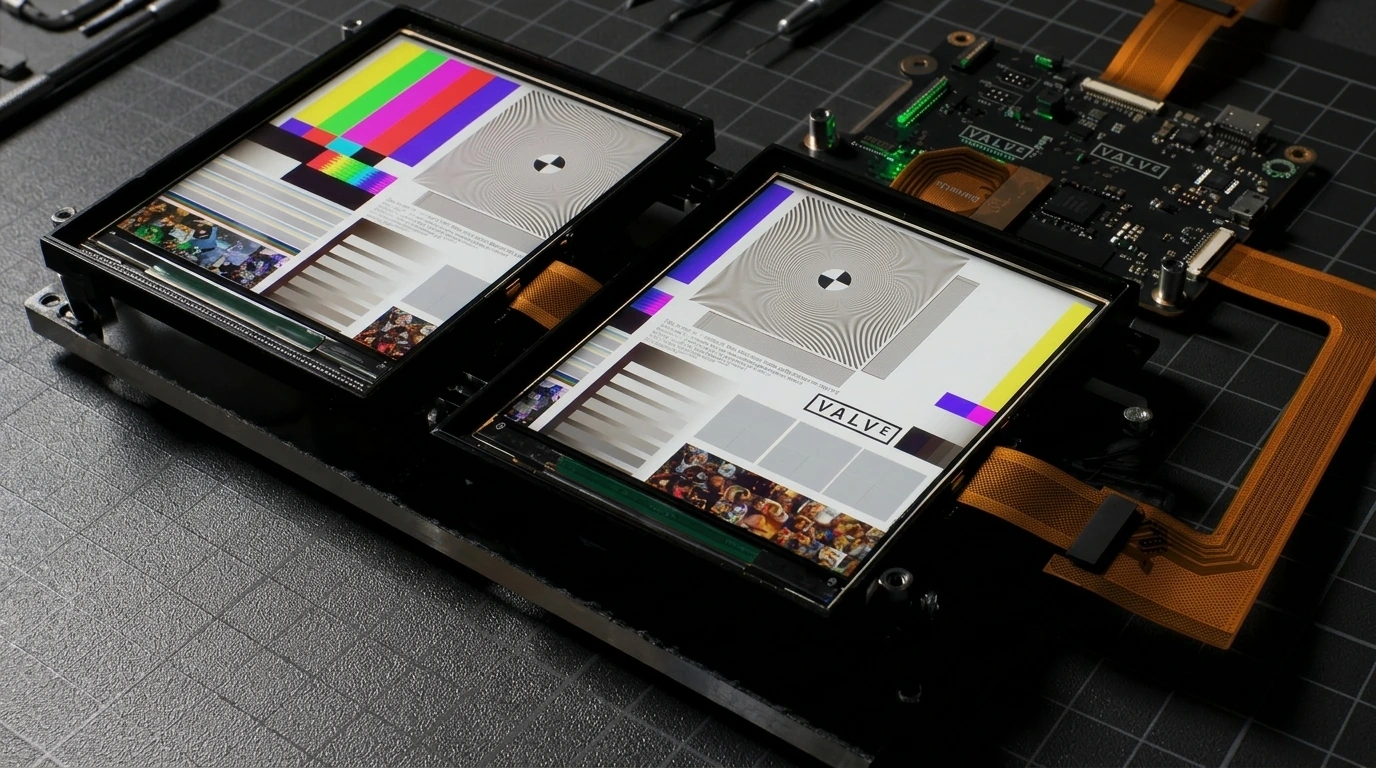
- Vertical Column Pixel Inversion और Dead Pixels: 120Hz और 144Hz पर कुछ पुराने Index LCD panels solid colors के across सिर horizontally घुमाने पर faint vertical scanlines ("column inversion") दिखाते हैं। Dead pixels या panel edges पर yellowish tint भी जांचें।
- ढीले Speaker Swivels या Audio Cutouts: Off-ear speaker ढीला नीचे गिरता हो या हिलाने पर audio कटता हो तो headstrap के अंदर pogo-pin contacts oxidized हो सकते हैं। यह आसान fix है: single T6 Torx screw खोलें, gold contacts को isopropyl alcohol से साफ करें और pivot friction लौटाने के लिए post पर छोटा rubber O-ring लगाएँ।
D. SteamVR 2.0 Base Stations ("Lighthouses")
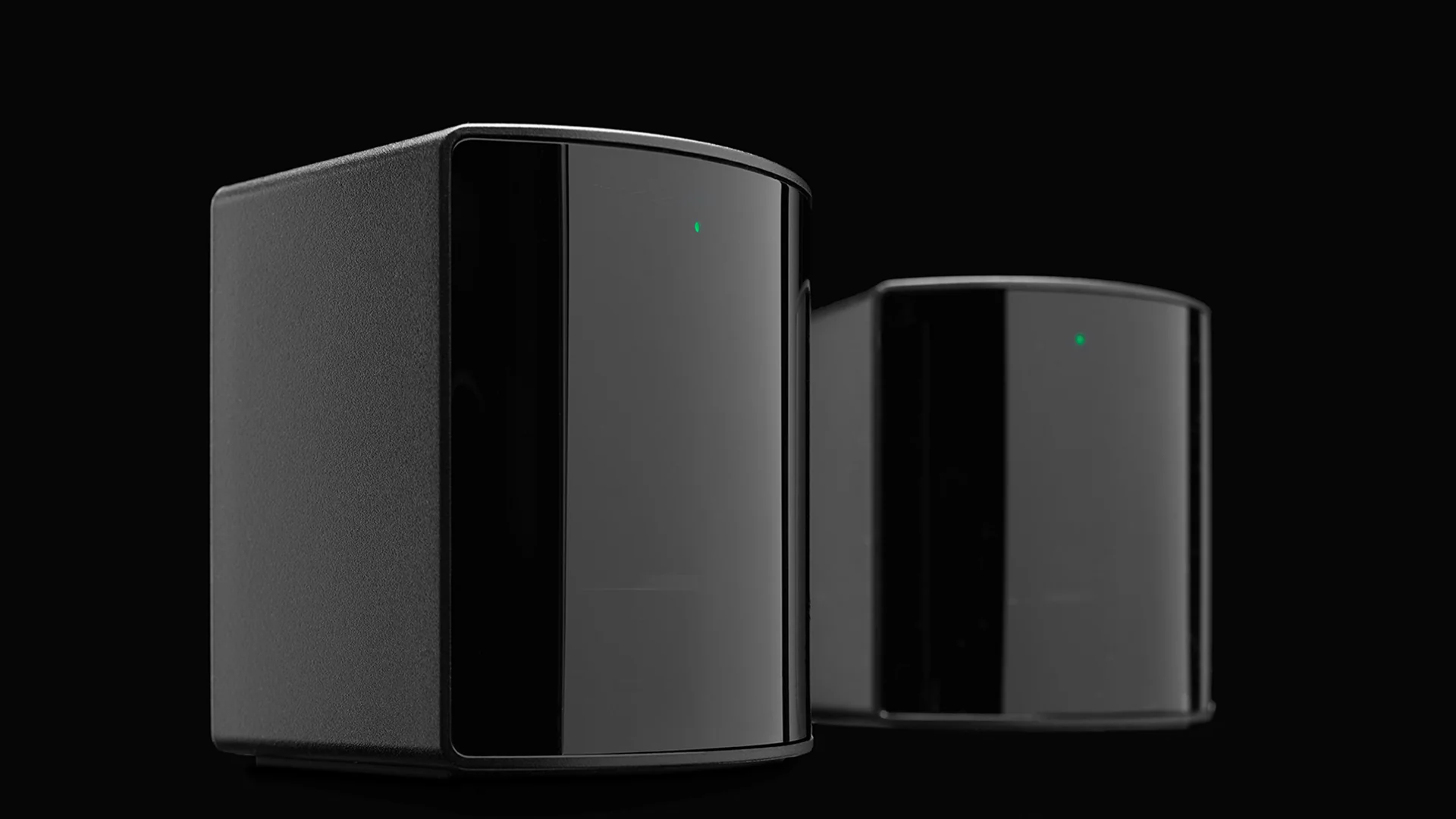
- Blinking Red LED ("Red Light of Death"): Plug in करने पर Base Station spin up होने के बाद solid green LED दिखानी चाहिए। blinking red LED का अर्थ है कि internal laser diode या spinning rotor स्थायी रूप से खराब है। Firmware updates से इसे ठीक नहीं किया जा सकता और पूरी unit बदलनी होगी।
- तेज Motor Bearing Rattling: प्रत्येक base station में high RPM पर घूमने वाली physical motor होती है। एक foot दूर से ध्यान से सुनें: soft, high-pitched hum सामान्य है, जबकि loud grinding buzz या heavy vibration का अर्थ है कि Bluetooth power management enabled किए बिना वर्षों तक 24/7 चलने से bearings घिस चुके हैं।
4. 2026 में उचित Used Pricing: कितनी कीमत दें?
उत्पादन बंद होने और नए headsets उपलब्ध होने के कारण second-hand Index hardware के लिए retail के करीब कीमत न दें:
- $350 – $450 USD (Great Deal): यदि Complete Kit (headset, 2 controllers, 2 base stations, सभी cables) ऊपर की हर जांच पास करे तो तुरंत खरीदने लायक। ध्यान रखें, दो working SteamVR 2.0 Base Stations और दो Index Controllers अकेले ही used market में लगभग ~$350 के हैं, Bigscreen Beyond 2 जैसे headsets के upgrades के लिए।
- $450 – $550 USD (Fair Market Price): यह कीमत केवल late-batch, lightly used kit के लिए दें, जिसकी cosmetic condition mint हो, thumbstick drift बिल्कुल न हो, lenses साफ हों और tether cable pristine हो।
- $600+ USD (Overpriced—Pass): इस कीमत पर modern alternatives कहीं बेहतर displays, pancake optics और full manufacturer warranties देते हैं।
5. अंतिम फैसला और 2026 में बेहतर विकल्प
2026 में used Valve Index तभी खरीदें जब आपको $500 से कम में अच्छी तरह रखी हुई Full Kit मिले और आपकी सर्वोच्च प्राथमिकता SteamVR Lighthouse tracking ecosystem में प्रवेश हो—चाहे competitive rhythm/shooter games के लिए, VRChat full-body tracking के लिए, या stepping stone के रूप में, जहाँ Base Stations और Index Controllers रखकर बाद में headset को Bigscreen Beyond 2 जैसे micro-OLED model से upgrade करें।
यदि आपको sharper visuals या कम झंझट चाहिए तो Valve Index छोड़कर इनमें से कोई खरीदें:
- Meta Quest 3 ($599.99 नया): Edge-to-edge sharp pancake lenses, बहुत higher resolution, standalone + wireless PC VR play और color mixed reality मिलती है—full warranty के साथ और mount करने के लिए base stations की जरूरत नहीं।
- Sony PlayStation VR2 + PC Adapter: समान used Index kit कीमत पर direct wired PC connection से true blacks वाले vibrant 2000 × 2040 per-eye OLED panels देता है।
- Valve Steam Frame ($1,059+ नया): Valve का official successor modern high-resolution optics, eye-tracked foveated wireless PC streaming और external base stations के बिना standalone SteamOS play देता है।
प्रश्न और उत्तर
क्या Valve Index 2026 में अब भी manufacture हो रहा है और नया बिक रहा है?
नहीं। Valve ने Valve Steam Frame लॉन्च होने के बाद October 2026 में Valve Index का उत्पादन आधिकारिक रूप से बंद कर दिया। Complete retail kits अब नहीं बिकते, हालांकि Valve stock रहने तक Steam Store पर बचे हुए individual replacement parts और standalone headsets clear कर रहा है।
2026 में used Valve Index full kit की उचित कीमत क्या है?
2026 में अच्छी condition वाला पूरी तरह functional used Valve Index Complete Kit (headset, दो controllers, दो SteamVR 2.0 Base Stations और सभी cables) $350 से $500 USD के बीच का है। $550–$600 USD से अधिक कीमत Meta Quest 3 जैसे नए headsets की तुलना में बहुत ज्यादा है।
Used Valve Index खरीदते समय सबसे आम समस्याएँ क्या हैं?
Second-hand Valve Index kits की चार सबसे आम समस्याएँ हैं: 1) Index Controllers में thumbstick drift या टूटे L3/R3 stick clicks, 2) sparkling pixels या SteamVR Error 436 कराने वाला internal tether cable wear, 3) पुराने SteamVR Base Stations पर blinking red LED ('Red Light of Death'), और 4) sweat तथा eyeglasses से lens scratches या peeling rubber lens seals।
क्या Valve अब भी SteamVR पर Valve Index को support करता है?
हाँ। Manufacturing समाप्त होने के बावजूद Valve Steam और SteamVR में Valve Index, Index Controllers और SteamVR Base Stations को पूरी तरह support करता है। इसके अलावा, base stations और controllers Bigscreen Beyond 2 जैसे आधुनिक Lighthouse-tracked headsets के साथ cross-compatible हैं।
कैसे पता चले कि used Valve Index tether cable खराब होने वाला है?
यदि dark scenes में tiny flashing white या colored dots ('sparkles') दिखें, crackling audio सुनाई दे या headset clip अथवा breakaway connector के पास cable को धीरे हिलाने पर SteamVR Error 436 मिले, तो internal DisplayPort wiring खराब हो रही है और tether cable बदलना होगा।
क्या used Valve Index खरीदना चाहिए या नया Meta Quest 3?
अधिकांश players के लिए Meta Quest 3 लगभग used Index जितनी कीमत में कहीं sharper pancake lenses, higher resolution और wireless PC VR streaming देता है। लेकिन यदि आपको खास तौर पर uncompressed DisplayPort latency, off-ear BMR audio, finger-tracking Knuckles controllers और VRChat के लिए native Lighthouse full-body tracking चाहिए, तो Valve Index अब भी बेहतर है।